
Piegādes termiņš visā Lietuvā: 5-7 darba dienas.
Piegādes cena uz norādīto adresi: 3 eiro




Apraksts
Trumpai apie prekę
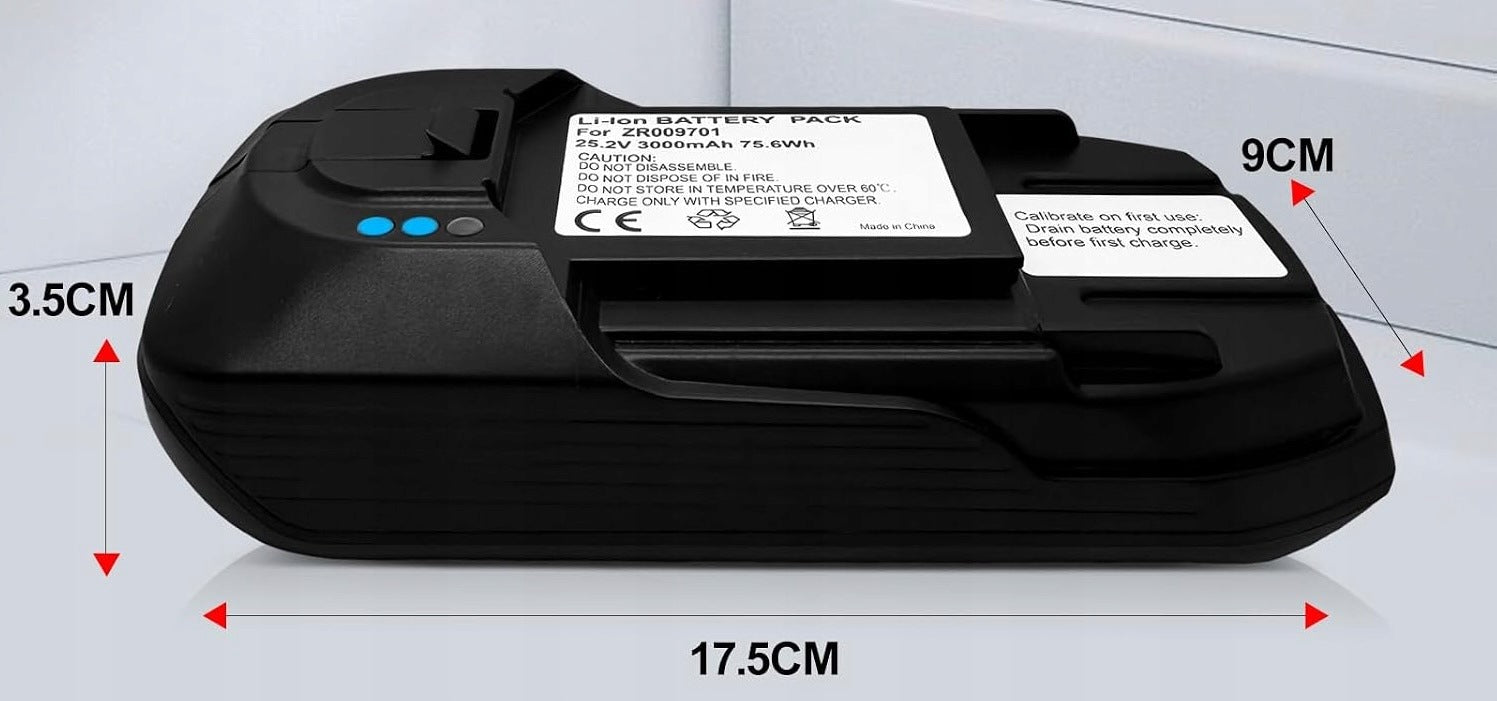
Prekė: Baterija Rowenta X-Force Flex 11.60, 25,2V, ZR009701, RH98, TY98. Kategorija: Dulkių siurblių baterijos.
- Gamintojas: no brand
- Modelis: ZR009701
Rowenta X-Force Flex 11.60 25,2V 3000 mAh Cordless Vacuum Cleaner Battery Replacement ZR009701 RH98 TY98 EO98
The decrease in battery performance in a cordless vacuum cleaner reduces runtime and reduces suction power of the device. The presented lithium-ion battery restores the full efficiency of the Rowenta X-Force Flex 11.60 vacuum cleaner without the need to replace all equipment. The replacement is made with a focus on voltage stability and safe energy delivery when operating at high speeds.
⚡ KEY PROPERTIES AND BENEFITS
– Capacity 3000 mAh (75,6 Wh) – extended working time on a single charge compared to a used factory battery.
– Dedicated 25,2V compatibility – full electronic compatibility with the X-Force Flex 11.60 series engine controller.
– Tool-free installation – housing equipped with a latch compatible with the factory vacuum cleaner socket.
– Electronic protection – built-in protection system against overheating, excessive discharge and overcharging.
⚙ TECHNICAL SPECIFICATION
– Cell type: Lithium-Ion (Li-Ion)
– Rated voltage: 25,2 V
– Capacity: 3000 mAh (3,0 Ah)
– Battery energy: 75,6 Wh
– Replacement brand: YSomPower
– Original part number: ZR009701
– Condition: New
🧩 Compatibility
The battery is designed exclusively for Rowenta X-Force Flex 11.60 series models with a supply voltage of 25,2 V:
– RH98 series (e.g. RH9879, RH9890 and others)
– TY98 series
– EO98 series
Important compatibility information: The product fits ONLY 25,2V variants. The battery does NOT work with 25,9V versions. Before purchasing, check the voltage marking on the nameplate of your vacuum cleaner or old battery.
❓ TIPS USED AND FAQ
What if the vacuum cleaner after installation works only on the lowest power mode?
In selected units, the electronics of the vacuum cleaner require a reset of the capacity indicator after the installation of a new cell. To restore support for all speed modes:
1. Insert a new battery and start the vacuum cleaner on the lowest power mode.
2. Leave the device on until completely discharged and turned off automatically.
3. Connect the vacuum cleaner to the charger and charge the battery to 100%.
4. After a full cycle, the vacuum cleaner will return to normal operation in all modes.
Order a new battery and restore the full power of your cordless vacuum cleaner.
---
Specifications
| Group | Name | Value |
|---|---|---|
| Parametry | Condition | new |
| Parametry | Invoice | With VAT invoice |
| Parametry | Manufacturer | no brand |
| Parametry | Model | ZR009701 |
| Parametry | Manufacturer code | ZR009701 |
| Parametry | EAN (GTIN) | 0717956838273 |
| Parametry | Packaging status | original |