
Piegādes termiņš visā Lietuvā: 5-7 darba dienas.
Piegādes cena uz norādīto adresi: 3 eiro


Apraksts
Trumpai apie prekę
Prekė: Belaidis judesio jutiklis ZigBee TUYA, su baterija. Kategorija: Jutikliai.
- Gamintojas: pcblab.io
- Modelis: ZPS-Z1
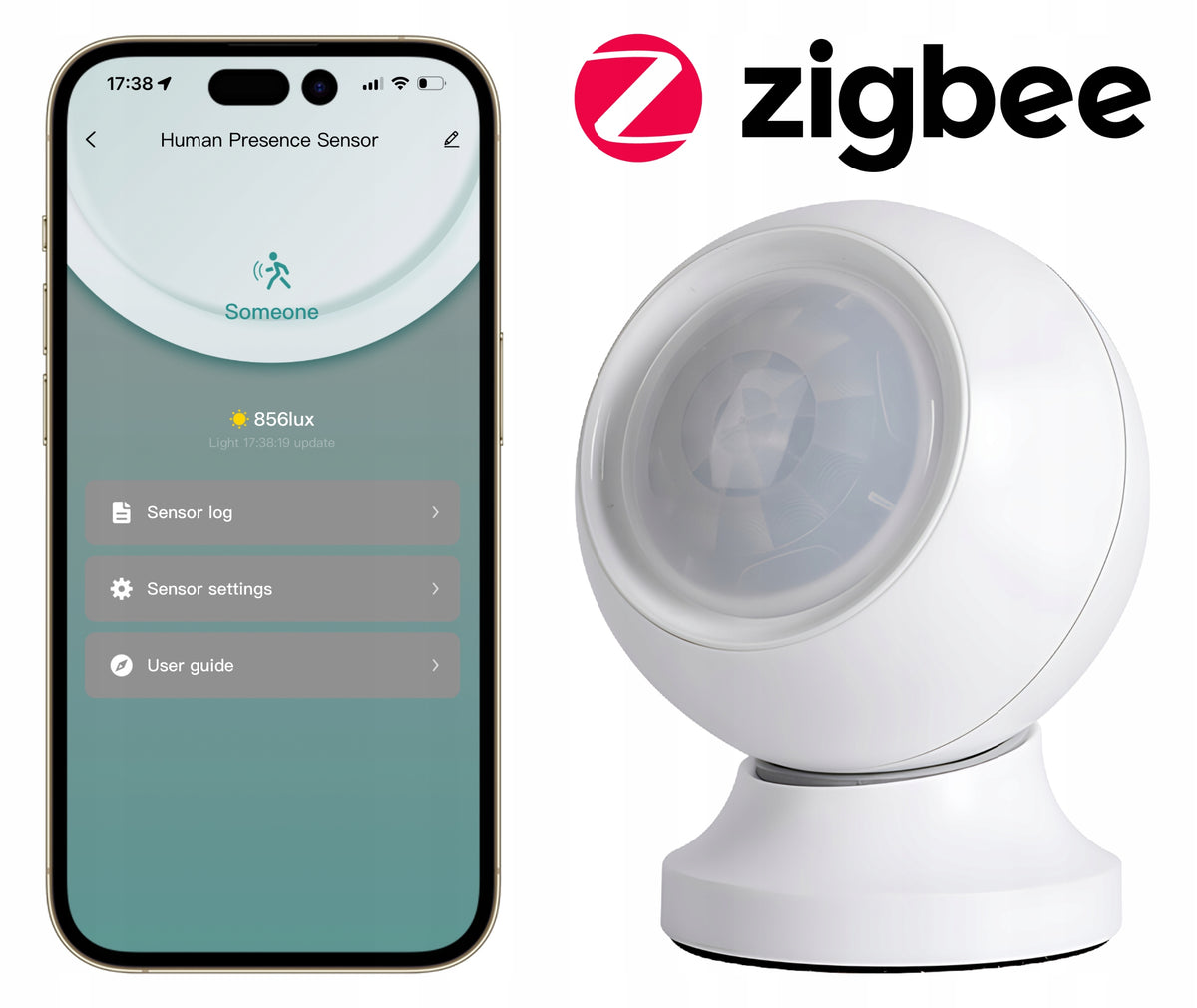
It detects not only movement, but also the presence of a stationary person – even when you are sitting quietly at your desk, reading a book or napping on the couch.
🔋 CR2450 battery
📶 ZigBee 3.0
📏 Range up to 5 m
🌡 Light sensor (lux)
🧲 Magnetic base
🎯 Classic Motion Sensor (PIR) problem
Traditional PIR sensors only respond to clear movement. If you sit still – the light will go out, the ventilation will turn off, the alarm will go off. Frustrating, isn't it?
💡 Solution: 24 GHz Microwave Radar
This sensor uses Doppler radar technology operating at a frequency of 24,125 GHz. It emits invisible microwave waves that bounce off objects in the room. By analyzing changes in the reflected signal, the sensor detects even the finest micro-movements – breathing, typing, turning pages. Thanks to this, he knows that someone is in the room, even when that person is sitting completely still.
📡24 GHz Doppler Radio
Detects micro-movements (breathing, writing) – not just a clear movement like a classic PIR.
📏Range up to 5 meters
Configurable zones every 0,5 m. 110° detection angle – covers even a large room.
🌡 Built-in light sensor
Measures illuminance (lux). Ideal for automation of the "light up when dark" type.
🔋Battery powered
CR2450 battery – no cables, installation anywhere thanks to magnetic base.
📶 ZigBee 3.0 protocol
Low power consumption, stable communication. Requires ZigBee gateway (e.g. Zemismart, TUYA).
📱TUYA / Smart Life application
Full control from your smartphone. Settings, logs, automation – all in one place.
⚠ Platform compatibility
✅ TUYA Smart
✅ Smart Life
❌ Home Assistant – currently no support
The sensor works with TUYA Smart and Smart Life applications. Requires a ZigBee gateway compatible with TUYA (added separately). At the moment there is no official support for Home Assistant.
Settings
Adjust the sensor to your room and needs
📏 Radar range (0 to 5 m in sections every 0,5 m)
In the application you can see a bar divided into 10 segments (each 0,5 m). You can enable or disable any segment – e.g. block detection right next to the wall so that the sensor does not "see" through it. It is ideal for small rooms or when the sensor is close to the door to another room.
🎚 Motion detection sensitivity
Three presets: High, Average, Low – and Custom mode, where you manually set the trigger threshold for each segment. In Custom view, you see an energy graph – blue bars show the current energy value in each zone, and the orange line is the threshold. When the energy exceeds the threshold, the sensor reports presence.
⏱ Delay time "no presence"
You set how many seconds after a person leaves the sensor will change the status to "no presence" (range: 0 to 60 seconds). Shorter time = faster response, but beware – the radar needs a moment after a person leaves for the energy to drop (normal delay of 2 to 10 seconds).
💡 LED
You can turn the LED flashing on or off on the sensor when it detects presence. Useful for debugging, but you can turn it off overnight.
🔧 Automatic Threshold Setting
Don't want to manually set the thresholds? Click the "Automatic threshold setting" button in the sensitivity settings – the sensor will learn the optimal thresholds by analyzing the environment. Important: When automatically learning no one should be within sensor range.
Automation
Connect the sensor with other devices in the TUYA ecosystem
The sensor works with the TUYA automation system. You can create "If... then..." rules by combining the status of the sensor with any devices on your network.
1. How to create automation?
- Open the "Smart" tab in the TUYA app
- Select "Automation" → "Add Automation".
2. Set a trigger condition
- Select the presence sensor as a trigger. You can react to: Someone (someone is), No one (nobody is there), change of lighting intensity (lux).
3. Select action
- E.g. Turn the light on/off, start the air conditioning, send a notification to your phone, turn on the camera.
4. Add terms (optional)
- E.g. "only when it is dark (lux < 50)" or "only between 18:00 and 6:00".
💡 Examples of automation rules
Rule 1: When the sensor detects the presence AND intensity of light < 30 lux → Turn on the ceiling lamp.
Rule 2: When the sensor reports "no presence" for 5 min → Turn off all lights and air conditioning.
Rule 3: When the sensor detects presence after 23:00 → Turn on night LED lighting (10% brightness).
⚠ Automation not working? Check out:
- Whether the sensor correctly registers presence (check the sensor logs in the application).
- Whether the rule logic is correct (appropriate condition + action).
- Whether the actuator (e.g. bulb) is online and connected to the gate.
- Whether the gateway firmware is up to date.
Technical specification
- Model: ZPS-Z1
- Wireless protocol: ZigBee 3.0 (2,4 GHz)
- Radar frequency: 24,125 GHz (Doppler radar)
- Detection range: up to 5 meters (configurable zones every 0,5 m)
- Detection angle: 110°
- Light sensor: Yes – measurement of illuminance (lux)
- Power Supply: CR2450 battery (included)
- Working temperature: -10°C to +45°C
- Assembly: Magnetic base (self-adhesive)
- Water resistance: None – the device is not waterproof
- Compatibility: TUYA Smart, Smart Life (requires ZigBee gateway)
📦 What will you find in the set?
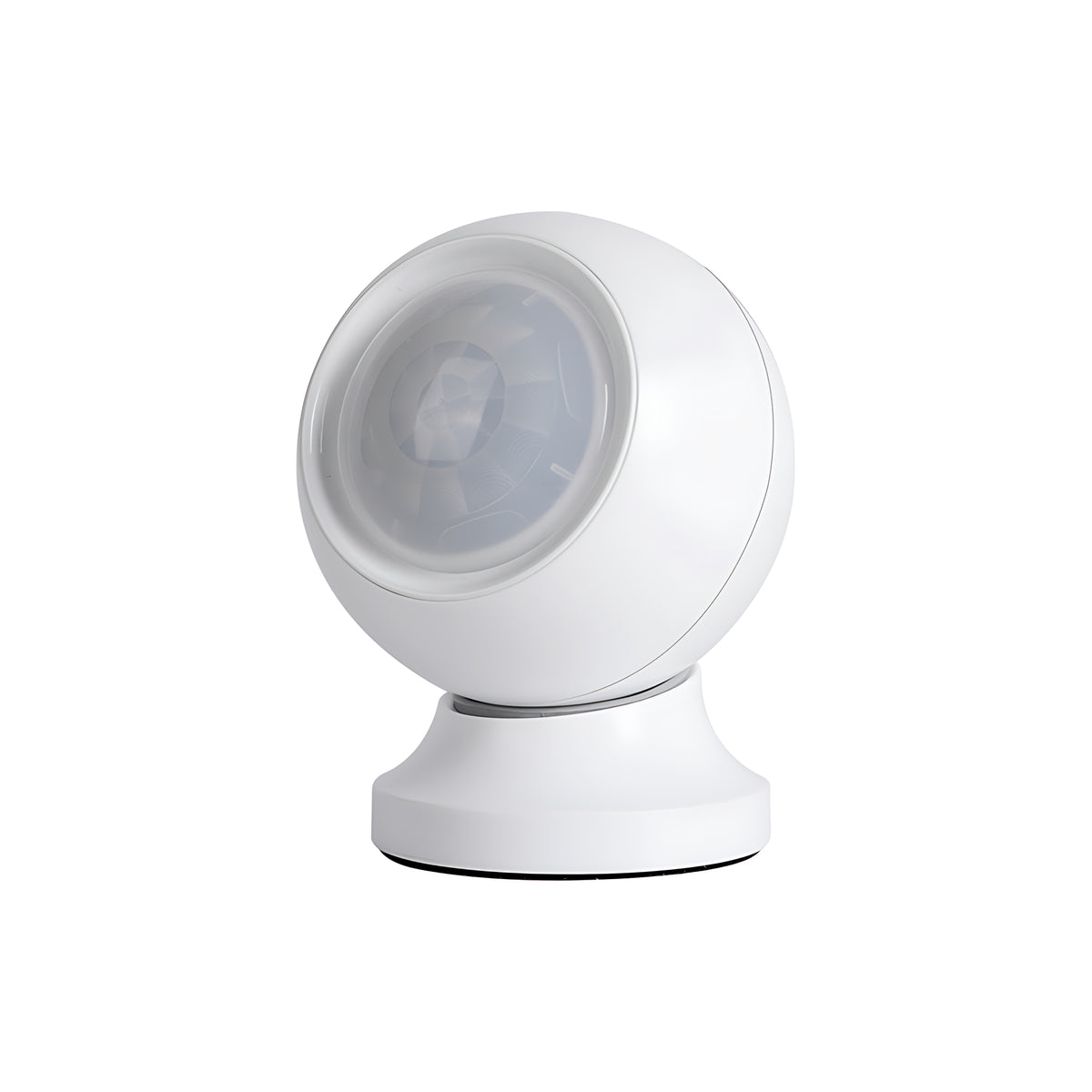
- ZPS-Z1 presence sensor (spherical body)
- Magnetic base with self-adhesive tape
- CR2450 battery (installed, with "PULL" lock)
- User manual
Examples of applications
Check how the sensor can make your daily life easier
🚿 Bathroom
The light and fan turn on automatically when you enter. They will not go out when you sit still – the radar detects your presence. Once you leave, everything will turn off.
💻 Office / Cabinet
Do you work at a desk? The light won’t go out even when you’re sitting still and writing. You will get up for a break – after a while the sensor will turn off unnecessary lighting.
🏠 Hallway / hall
Automatic lighting in the hallway – turns on when you pass, and goes out when you leave the zone. Energy saving and convenience.
🚗 Garage
You go into the garage – the light comes on. You can also set a notification on your phone when someone shows up in the garage at unusual times.
🛋 Salon
Automatic air conditioning – turns on when someone is in the living room, turns off when everyone leaves. Energy saving without sacrificing comfort.
👴 Care for the elderly
Monitor the presence of an elderly person in the room. Lack of movement for a long time? Get a push notification on your phone.
Important Notes and Tips
🔧 Assembly
Mount the base on a clean, smooth surface. Hold it tight for at least 10 seconds. Wait OK. 10 minutes before you apply the sensor to the base (so that the glue sticks well). Point the sensor towards the area where people are staying. For people sitting – aim at the chest (breathing detection).
Avoid mounting opposite fans, curtains – they can cause false alarms.
📡 Cooperation with other radar devices
The sensor can work with other radar devices in the same room (e.g. smart toilets, lamps with a sensor), but they can interfere with each other. Recommendation: do not mount two sensors opposite each other – better backwards to each other, at a distance.
🔋 Battery – safety
The sensor is powered by CR2450 battery. To remove the battery, use a flat screwdriver and pry it from the negative pole side. When installing a new battery: insert the positive pole first, then press the negative one.
⚠ NOTE: Lozenge battery – keep out of reach of children! If swallowed, seek medical attention immediately.
Specifications
| Group | Name | Value |
|---|---|---|
| Parametry | Condition | new |
| Parametry | Invoice | With a VAT invoice |
| Parametry | Series | ZigBee |
| Parametry | Brand | pcblab.io |
| Parametry | Manufacturer code | ZPS-Z1 |
| Parametry | EAN (GTIN) | 5904741320708 |
| Parametry | Packaging status | original |