
Piegādes termiņš visā Lietuvā: 5-7 darba dienas.
Piegādes cena uz norādīto adresi: 3 eiro


Apraksts
Trumpai apie prekę
Prekė: OBD2 atminties išlaikymo baterija, 5A. Kategorija: Baterijų testeriai.
- Gamintojas: no brand
- Modelis: wymiana akumulatora OBD2
🔋 Don’t lose your car’s settings when replacing the battery!
This professional OBD2 memory backup module is designed to protect your car computer data when replacing or disconnecting the battery. This will prevent you from losing important electronic settings of your vehicle.
Are you afraid of these conditions?
Don’t worry, we will help you solve all your problems.
✨① Batteries are old?
✨② Is the vehicle difficult to start?
✨③ Low lights?
✨④ Battery failure alarm?
✨⑤ Rattle during startup?
✨⑥ Voltage changes before and after start-up?
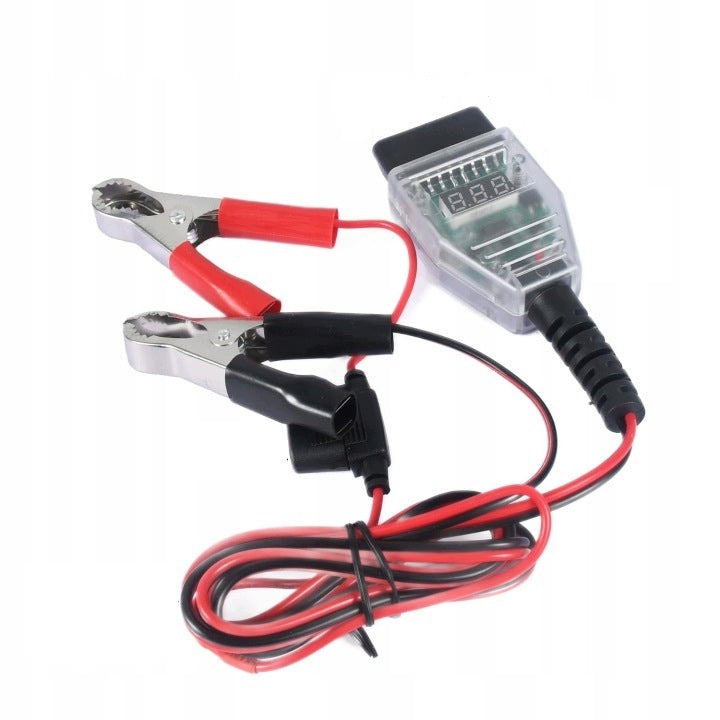
OBD II Car ECU Memory Saver Cable with 2 Battery Clips, 12V Digital Display Power Cable, Battery Replacement Tool, Data Retention Function with 5A Fuse
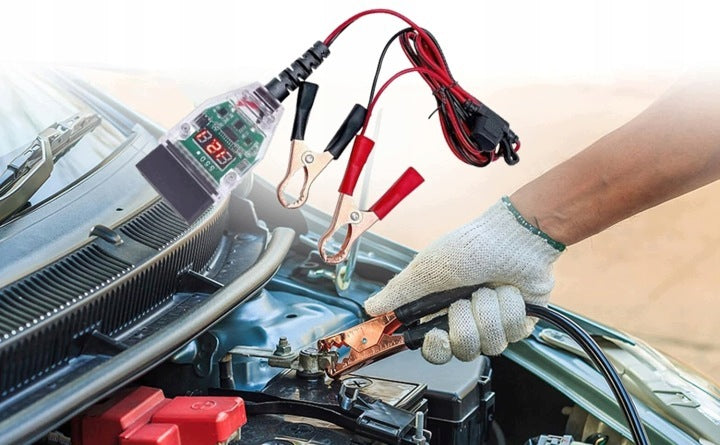
✅1. Compatible with all OBDII ports, works with 99% of vehicles. Features a standard OBD2 interface. Suitable for OBDII vehicles manufactured from 1996 onwards. One end of this memory saver features a standard OBD2 connector, while the other end has two battery clips to connect to the positive and negative terminals of a backup battery. Connect the red clip to the positive terminal and the black clip to the negative terminal.
✅2. The OBD metal pins are gold-plated for better contact and electrical transmission. A built-in 5A fuse provides overload protection. Powered by a 12V DC backup power source, this device maintains vehicle codes, electronic settings, and memory for onboard computers while you disconnect and replace the old battery. Built with high-quality copper wiring and flame-retardant silicone cabling.
✅3. This memory saver is essential when disconnecting your car battery for repairs. Without it, you may lose throttle calibration data, one-touch window settings, seat memory, and other electronic presets. This module keeps the car's computer powered via the OBD-II port during the battery replacement process.
✅4. Easy 4-step process to save your data. Step 1: Test your backup battery. Step 2: Turn off the vehicle. Step 3: Connect the cable to the vehicle's OBD2 port. Step 4: Disconnect and replace the existing battery. Your vehicle's memory data will be preserved.
✅5. This professional-grade memory saver prevents the loss of critical vehicle information when the main battery is disconnected. It is an essential tool for auto repair shops and DIY mechanics. It protects settings such as dashboard data, audio system presets, seat memory, and digital clocks.
Features:
✅1. Prevents loss of electronic data when the car battery is disconnected.
✅2. Assists in safe car battery replacement.
✅3. Saves time and improves efficiency.
✅4. Maintains computer memory for: Dashboard information, digital clocks, audio systems, seat memory, ABS, traction control systems, and electric side mirrors.
✅5. Eco-friendly materials: Made from high-quality, non-toxic, and durable materials. The cable is flexible, wear-resistant, and tangle-free.
Content of the package:
✅1 x Connector for fixing car memory
Product dimensions:
✅ Connector dimensions: 67 mm x 45 mm
✅Cable length: 120 cm
✅Total length: 150 cm
✅Wire diameter: 1,5 mm (15 AWG)
✅Maximum fuse current: 5 A
PRODUCT DETAILS
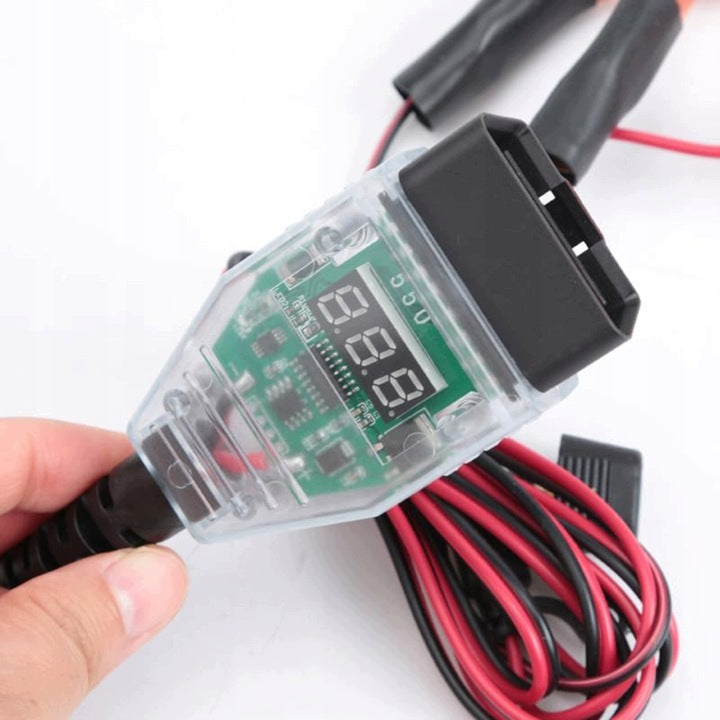
✅① OBD interface
✅② Transparent, standard housing
✅③ Digital Monitor
✅④ Circuit Board
✅⑤ Total length 150 cm, thick copper wire 1,5 mm (15 AWG)
✅⑥ All-inclusive insurance
✅⑦ Positive clamp
✅⑧ Negative clamp
Operating Instructions and Important Notes - (4 Steps)
✅1. Connect the positive terminal of the backup battery to the red clip and the negative terminal to the black clip (Reverse connection will damage the car's computer).
✅2. Once the red light on the plug turns on, connect it to the car's OBD port. A "beep" sound indicates a correct connection.
✅3. You can now safely replace the battery, but please proceed with caution.
IMPORTANT NOTES for Step 3:
# Keep the car doors closed during the replacement process.
# DO NOT turn on electrical devices such as headlights.
# DO NOT touch the positive battery terminal to the vehicle chassis (ground). This will blow the car's OBD fuse and cause the memory saver to fail.
# DO NOT turn on the ignition while the old battery is disconnected and the new one is not yet installed.
# DO NOT turn the key to the "ACC ON" position, as this may cause a power surge that blows the memory saver's fuse.
✅4. After replacing the battery, first disconnect the red clip from the backup battery. If the tool continues to beep, the process was successful. If there is no sound, it may indicate that the car's OBD fuse has blown.
IMPORTANT NOTE for Step 4:
# Do not let the red and black clips touch each other while removing them, as this will cause a short circuit.
🔎Perhaps you are looking for:
OBD2 memory support
OBD2 battery replacement
Maintenance of car computer memory
OBD2 Maintenance Power Supply
OBD2 memory module
ECU memory protector
OBD2 battery replacement
12V OBD2 power backup
car computer memory battery replacement
OBD2 memory support cable
Specifications
| Group | Name | Value |
|---|---|---|
| Parametry | Condition | new |
| Parametry | Invoice | With a VAT invoice |
| Parametry | Brand | no brand |
| Parametry | Product weight with unit packaging | 0.156 kg |
| Parametry | EAN (GTIN) | 784977351487 |
| Parametry | Manufacturer code | wymiana akumulatora OBD2 |