
Piegādes termiņš visā Lietuvā: 5-7 darba dienas.
Piegādes cena uz norādīto adresi: 3 eiro




Apraksts
Trumpai apie prekę
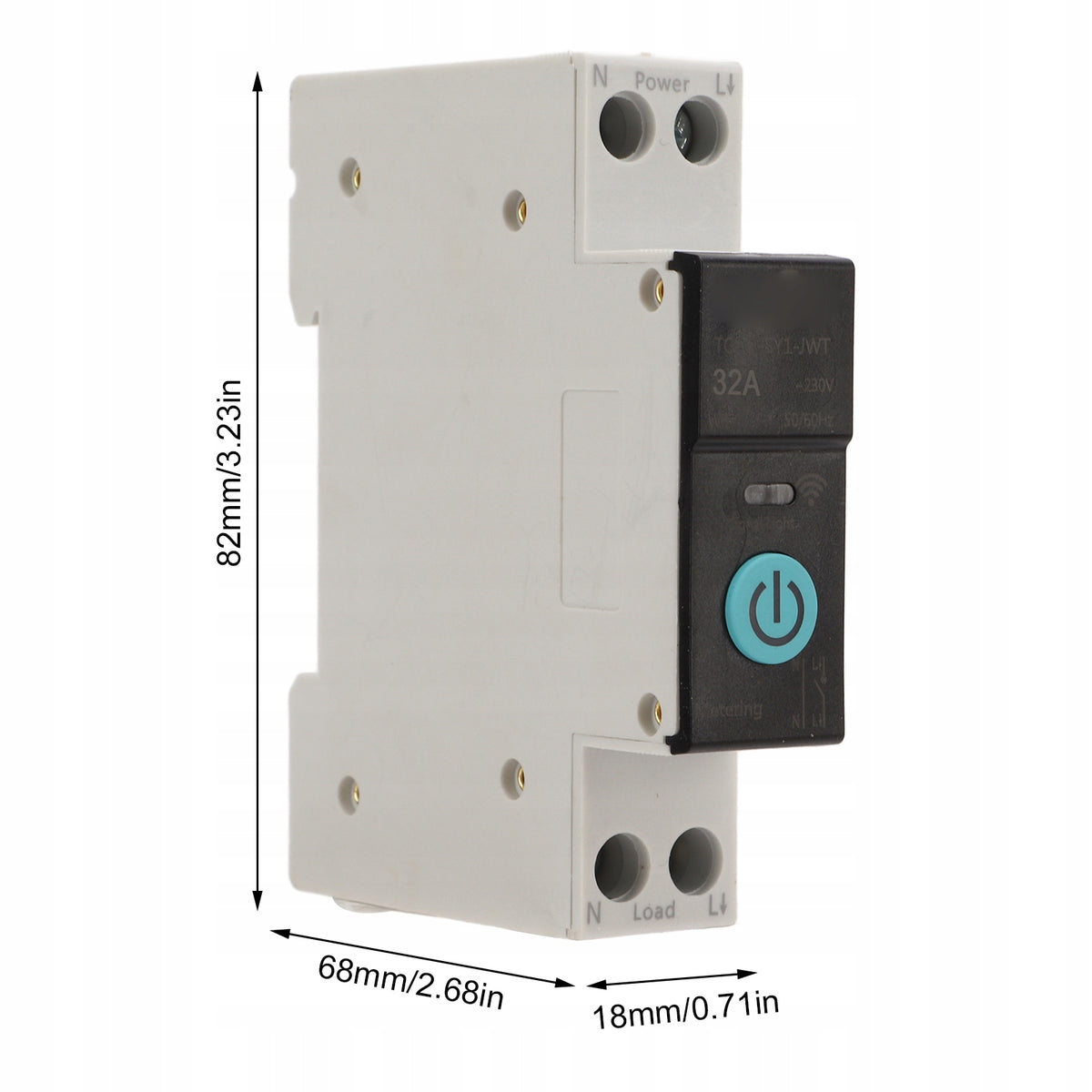
Prekė: WiFi relė 32A TUYA, DIN bėgio jungiklis. Kategorija: Centriniai blokai.
- Gamintojas: no brand
- Modelis: 1815220019414
[Many functions]
Set the on/off state of the device in different scenarios and remotely monitor the load status of electrical equipment in real time.
[Smart life at home]
You can monitor the use of all household appliances and remotely control and schedule control to make life more intelligent.
🎈[3 timing modes]
timing mode/countdown mode/cycle time, when you leave work, you can set the air conditioner turn on time in advance or set other equipment
🎈[Premium Material]
copper has good conductivity, PA66 flame retardant material, high temperature resistance, effectively improving the safety of use
🎈[Safe use]
Equipped with colorful indicator lights, you can check the working status at a glance. Intelligent protection, easy to use, reliable, supports short circuit protection, overload protection, etc.
- Item Type: Din Rail Installation Switch
- Material: copper, PA66
- Application: Intelligent home control
- Panel Color: Black
- Applicable app: for Tuya Smart
- Rated operating voltage: AC 230 V
- Control type: Remote control, manual
- Number of poles: 1P + N (pole N through)
- Control method: for SigMesh/for ZigBee
- Rail: DIN35
- Size: approx. 82x68x18mm/3,23x2,68x0,71 inch
✨✨List of packages:
1 xDin rail circuit breaker
✔ The LED indicator lights up with a constant blue light, indicating that the switch is on.
✔ The LED light is off, which means that the switch is in the off state or in networkless mode. (In off-grid mode, the manual switch does not have a status indicator, please pay attention to the safety of operation.)
✔ The LED indicator flashes slowly blue, indicating that the product is in pairing mode. Steps: 1. Connect the wire from the top end of the circuit breaker to the bottom end, make sure the wiring is correct and the WiFi signal is strong.2. Turn on Bluetooth and WiFi on your phone, open the app, then press and hold the power button, wait about 5-10 seconds, the LED indicator will start flashing blue slowly.3. After a while of waiting, a pop-up window will appear, click the + sign in the upper right corner, then select the Add Device button and wait for the device to be recognized.
✔ Enter your wifi account password and click Next and wait for your network connection.
✔ Connect to the network.
Specifications
| Group | Name | Value |
|---|---|---|
| Parametry | Condition | new |
| Parametry | Invoice | With VAT invoice |
| Parametry | Brand | no brand |
| Parametry | Series | 1815220019414 |
| Parametry | Kind | control switchboard |
| Parametry | Product weight with unit packaging | 0.1 kg |
| Parametry | Manufacturer code | 1815220019414 |
| Parametry | EAN (GTIN) | 4006187264644 |
| Parametry | Batteries included | no |