
Pristatymo terminas visoje Lietuvoje: 5-7 d.d.
Pristatymo kaina nurodytu adresu: Pristatymas nemokamas


Aprašymas
Trumpai apie prekę
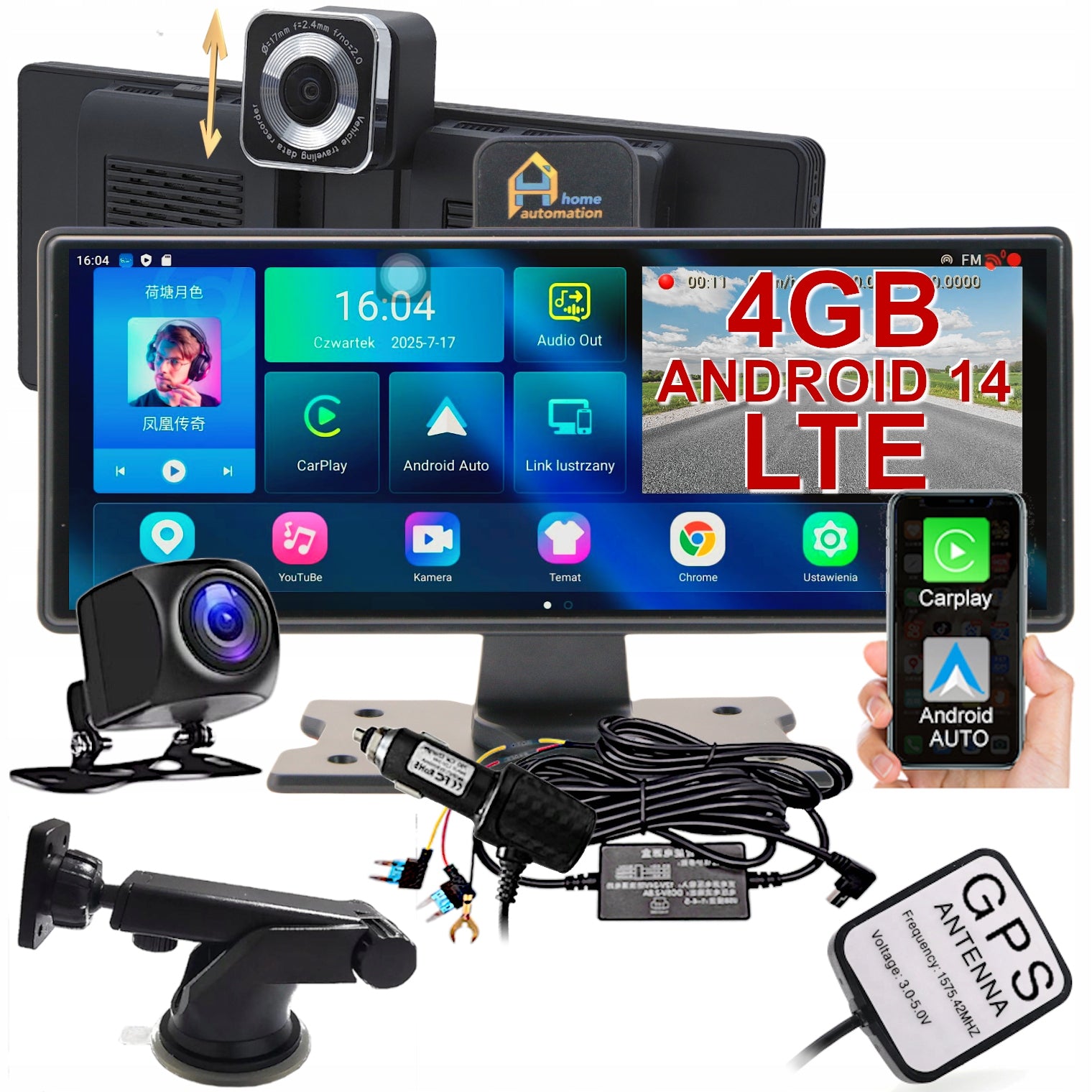
Prekė: Automobilinis vaizdo registratorius su CarPlay, ekranu, GPS navigacija ir Android. Kategorija: Vaizdo registratoriai.
- Gamintojas: Home Automation
- Modelis: HE502
📟 RAM: 4GB, 🖥 Android 14, 🌐 4G LTE Internet SIM
Product presentation on YouTube, type: 5VOIVaOX1in4)
⚡Latest technology = outstanding performance⚡
✅ Universal multimedia station
✅ Video Recorder / Car Driving Recorder
✅ Wireless monitor for car
✅ Reversing camera
✅ GPS Navigation / Locator / Anti-radar application
✅ Apple CarPlay / AirPlay / Android Auto / Samsung MirrorLink
✅ Car media player
✅ Android car tablet
✅ Internet Radio and Audiobook Player
✅ Internet with SIM card (LTE 4G), WiFi and HotSpot
✅ Hands-free
✅ Parking Monitoring
✅ Remote access
✅ Touch screen 10 inches
In short:
It's no longer just a webcam, it's an onboard computer
Forget about cheap displays and cameras that require cables and hotspots. Choose full independence. 🪽
- 📶 4G LTE Internet (SIM socket): Own Internet without connection to HotSpot. Maps, Yanosik, etc. They start automatically with the engine.
- 🎬 Full Play Store: YouTube, Netflix, Disney+ directly on your screen. It’s a powerful tablet in your car, not just a “mirror” phone.
- 🗺 Navigation: Choose your favorite navigation app, turn on Booking and book your accommodation when you get tired of the route.
- 📡 Dedicated GPS: Own antenna included. Precise navigation without overheating your phone and losing signal on the road.
- 🌓 Split Screen Mode: Full multitasking. Navigation and Yanosik or e.g. YouTube, etc. simultaneously on a huge 10.26" screen.
- 🚀 Hardware Premium: Dedicated processor and RAM. Smoothness without compromise, instant response to touch, zero lag.
- 📢 ADAS: The ADAS intelligent assistant actively takes care of your safety, providing full comfort and peace of mind behind the wheel.
- 🎥 Reversing Camera: Automatic preview and auxiliary lines immediately after reverse insertion – park confidently and without blind spots.
- 🅿 24/7 Parking Guard: Automatically records the recording when shock is detected when you are not at the car - alarm on your Smartphone! .
- 📸 FHD Recorder: Record your route from both cameras – smooth Full HD picture and WDR night mode for full readability in all conditions.
- 📞 Hands-free: Drive and talk safely – Full control, zero stress. Talk naturally without taking your eyes off the road.
- 🛠 Service and Support in Wrocław: Quick repair + telephone support of our technicians.
- ⏱ Instant Start (Autohibernation Mode): Thanks to the unique ACC power supply, our station wakes up immediately.
- 🇵🇱 Full Poland Edition: Poland distribution (menu and manual)
💎You invest in equipment for years, not half-measures. Choose a professional on-board computer 💎
This model is not available from other sellers.
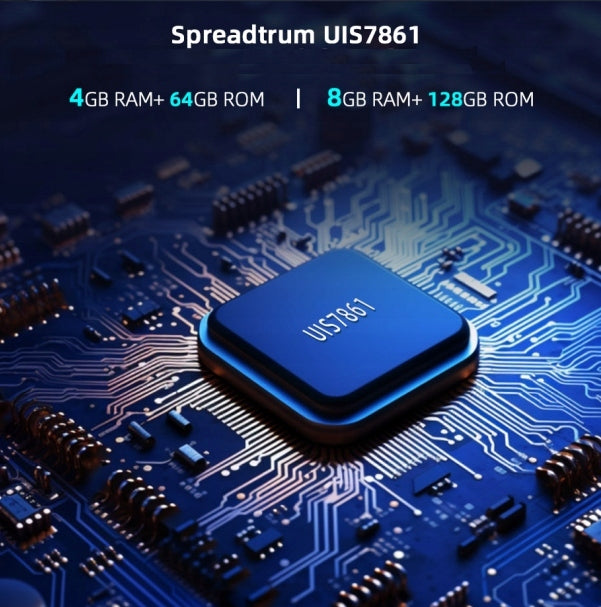
The latest generation Unisoc UIS7861 motherboard with a built-in GSM 4G / LTE modem enables internet connectivity after purchasing any starter SIM card (PLN 5)
* We recommend purchasing cards from the largest operators because they provide the largest coverage area
- MENU in Polish
The manufacturer of the device, Home Automation, took care of the correct language setting of the device, including ADAS messages.
- Instruction manual in Polish
More extensive than the typical version, it contains more detailed descriptions, solutions and tips and shows the capabilities of the product and additional accessories.
- Instant service located in Wrocław
Service repairs are carried out immediately after sending the damaged product, which enables appropriate technical facilities and spare parts storage, so if, for example, the cable breaks during assembly, or the screen breaks, the repair will take only a few days, without the need to wait for the shipment to be carried out to another country.
- Telephone and email technical support
If you have any questions, our highly qualified specialists will dispel your doubts during the telephone conversation, or outside the opening hours of the hotline we will answer your inquiry by email within a few hours
Best driver assistant
Be sure to look at the original manufacturer's manual for the use of the device, provided with it. This will help you dispel doubts about functionality and installation - links at the bottom of the page.
Although there is no shortage of products on the market in similar enclosures, as one of the few, the HE502J model manufactured by Home Automation ensures smooth simultaneous operation of the latest applications thanks to the use of a modern Unisoc motherboard with a built-in GSM 4G / LTE modem and 4GB of RAM.
- The integrated modem enables the use of the Internet without the need to connect to an external WiFi network, because like a regular smartphone it uses the data of the operator's mobile network
- The powerful motherboard with octa-core UIS7861 processor (4GB RAM) is perfectly matched to the Android 14 operating system, with which the latest applications work.
Android 14 and Unisoc UIS7861 octa-core processor and RAM/ROM:4GB/64GB internal memory. (basic applications take about 3GB). Supports SD memory cards up to 256GB.
Check the budget offer of this product in the version with the WiFi module itself, without GSM modem - 18127413831 (just enter this number in the Allegro search)
➡ Automatic start of recording - The recorder starts automatically and starts recording when the car ignition is turned on and automatically turns off when the ignition is turned off (with a delay of several seconds). The device must have power supply and a memory card installed.
➡ Parking mode (ACC parking power supply included)- The accelerometer (G-Sensor) is responsible for securing the recording in parking mode after shock or vibration has been recorded. Parking mode activates automatically when the engine is turned off. Activation sensitivity can be customized.
➡ Autohibernation (ACC parking power supply included)- An additional ACC cable of the power supply connected to 12V switched on after the ignition allows the device to recognize when it should go into standby mode limiting energy consumption to almost zero. When the ignition is turned on again, the system is active immediately, without the need to start the system and the resulting delay and the image from the reversing camera and navigation are available immediately. All used applications are started and set up as before the ignition was turned off without saving time reorganizing the desktop.
➡ Screensaver- Screen transition to sleep state occurs after the set time when the screen was not used
➡ Driving mode- In this case, the G-Sensor recording lock is activated in the event of a collision, sudden manoeuvre or other overload. The device records the material recorded during the accident and secures it for later use.
➡ Recording in a loop- Replaces old recordings with new ones when memory is full. Only recordings previously secured by the system in a separate directory are not overwritten.
This is one of the main and most important features of car DVRs, the inclusion of this function allows you to set the length of recorded individual video materials (2,3,4,5 min).
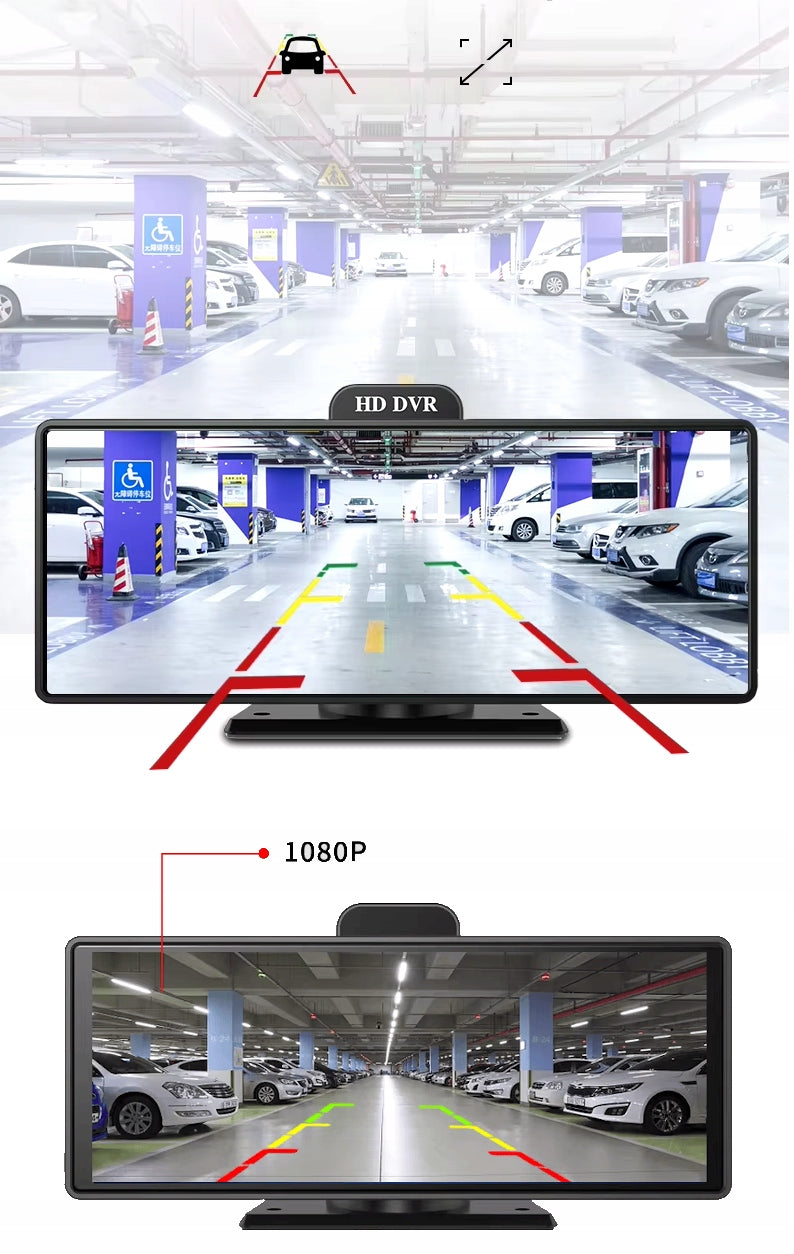
➡ Reversing camera- When the parking manoeuvre begins, the rearview camera image is automatically presented. The display shows the enlarged and extended lower part of the frame from the rearview camera along with auxiliary lines.
➡ Lane Assistant (ADAS system)- Alerts you when driving a message from the speaker (in English. Polish) as well as symbolically on the screen about the change of lane and the dangerous distance to the vehicle in front. When stopping the vehicle in traffic jams or at traffic lights, it will also inform you that the vehicle in front has already started.
➡ Wireless Smartphone screen- after the initial configuration of the connection with the smartphone, each time you approach the phone to the car, the connection will be automatic and the content sent from the phone in AndroidAuto/CarPlay format or a faithful copy of the phone screen will appear on the station screen when the Mirror Link mirror connection option is selected.
Video recorder:
> 10 inch full screen panoramic camera image. It allows you to monitor the road ahead and behind the car, and when you turn on the ADAS system, the system warns you of dangerous approach of other vehicles and potentially dangerous situations by marking red on the screen and sound signal.
> 170° and 150° wide-angle lens. The convex lens greatly expands the driver’s field of vision and allows you to capture any road event from a wider perspective. It allows you to record details even outside the driver's eye area.
> Night mode WDR (Wide Dynamic Range - Wide Dynamic Range). This function works in car cameras by using appropriate algorithms to analyze image exposure and dynamically changing the values of underexposed and overexposed pixels of monitored scenes in order to show underexposed elements in the image. Thanks to this, we have the ability to accurately record the scene despite high contrast. Thanks to the wide lens and WDR technology, the device performs well even in difficult lighting conditions. The extended dynamic range of the image allows for a clear and detailed image, thanks to the skilful leveling of both too bright and darkened fragments of the recording. Thanks to the WDR function, it is possible to maintain the readability of the entire observed scene.
> Loop recording. One of the main and most important features of car DVRs, the inclusion of this function allows you to set the length of recorded individual video materials (2 min, 3 min, 5 min). Disabling this option will result in continuous recording of the video material (not recommended), however, please note that the maximum length of the video is limited by the size of the 2GB file resulting from the limitations of the file format.
> 3-axis overload sensor (G-sensor). When the three-axis shock sensor detects sudden changes in overload (sharp braking, collision, sudden steering), the device immediately saves the recording to a protected catalog, protecting against automatic overwriting in the loop. All dangerous situations will be recorded automatically and will remain available for inspection as evidence if necessary, without the need for any interference from you.
> Moving front camera. The front camera mounted on the ball joint allows optimal adjustment of the frame angle to the user's preferences. The camera can also be extended 14mm upwards on the built-in snap guide. With the help of such a solution, you can set the angle of recording the image by the camera yes. so that nothing obstructs the view and does not enter the frame.
> Touch screen in capacitive technology on the entire surface of the mirror. Four times the range of view compared to a traditional rearview mirror. Instead of external tiny buttons that are always wrong, operate with clear, large and intuitive touch screen icons.
> Full HD 1080P Video. The cameras capture images with full-hd 1080p resolution. The wide adaptive range of aperture size and exposure time (WDR) allows the recorder to optimize and sharpen the image in all lighting conditions.
Screen split function for app
On the Android screen, you can simultaneously support two open applications, which allows you to use navigation and preview of the rear camera in parallel or one of these functions and e.g. Google browsers or media player on the other half of the screen.
Screen split 1:1 for camera image
The DVR app displays a full-screen image from the front camera, or a full-screen image from the rear camera, and when you want it, an image from both cameras simultaneously, on one half a front view, and on the other a rear view. Recording of both video channels in separate files.
Image in image (PiP)
Supporting the menu or any application is available (with the possibility of closing) preview on any camera.
Parking mode
In parking lot monitoring mode, the device starts recording when any movement is detected in the field of view of the cameras, and then the recording system secures the recording in memory automatically when shock or impact is detected by the shock sensor (G-sensor).
> Direct power ensures no delays in using all functions of the device. Turning off the ignition activates the sleep mode of the system in which Android is in hibernation and the device draws only trace amounts of energy from the battery without causing it to discharge. Unlocking the ignition causes the image from the rear camera to immediately appear on the screen, and turning on the reverse gear activates additional auxiliary lines immediately
You can also activate the wake-up call remotely, via the Internet, using the CarKeeper app and observe what is happening around the car in real time on your smartphone.
Automatic awakening, without screen activation, occurs automatically also when the G-sensor notices a shock informing about a violation of your property. The recording of the event is automatically saved and secured on the SD card and in the CarKeeper application.
Rearview mirror and reversing camera functions
When using the product, the image from the rear camera can be called with one click at any time or set to a constant view of the rear view throughout the screen or part of it. It then acts as the driver’s reverse mirror. The cab mirror shows the view only through the rear window, provided that there is nothing in between, which is why the camera located just behind the rear window in the cabin is definitely a better solution due to the much larger field of view.
The reverse camera image appears automatically when reverse gear is turned on - extended by side zones, along with adjustable auxiliary lines, . For this purpose, the camera activation cable should be connected to the plus of the reversing light (+12V DC), It is best to attach the camera to the outside of the vehicle directly on the rear bumper or in a dedicated license plate frame equipped with a camera mounting socket. It is possible to slightly adjust the angle of the camera mount vertically to adjust the field of view during the reversing maneuver.
> Remote connection- internet monitoring of the car environment through the Carkeeper application. Automatic monitoring of the environment in parking mode consists in recording the field of view of the cameras and securing the recording in memory automatically when shock or impact is detected. Parking mode is an extremely useful feature, thanks to which you will get proof in case of damage to your vehicle during your absence. You don’t have to be in the car to have a video recorder to protect your vehicle. This feature is ideal for crowded parking lots under your home or shopping mall. Watch the car’s camera image on your smartphone. Monitor and record the surroundings of the car while standing in the parking lot, you will always find the culprit of damage caused in your absence. The recorded image of the perpetrator - a thief or vandal, is legal proof in the light of Polish regulations. Parking mode requires constant power supply.
The remote connection also works in normal driving mode and CarKeeper then allows you to check the GPS location of the vehicle, remotely view the image from the cameras, change some settings and voice communication with the driver
⚠ The Carkeeper app is available in English
Communication
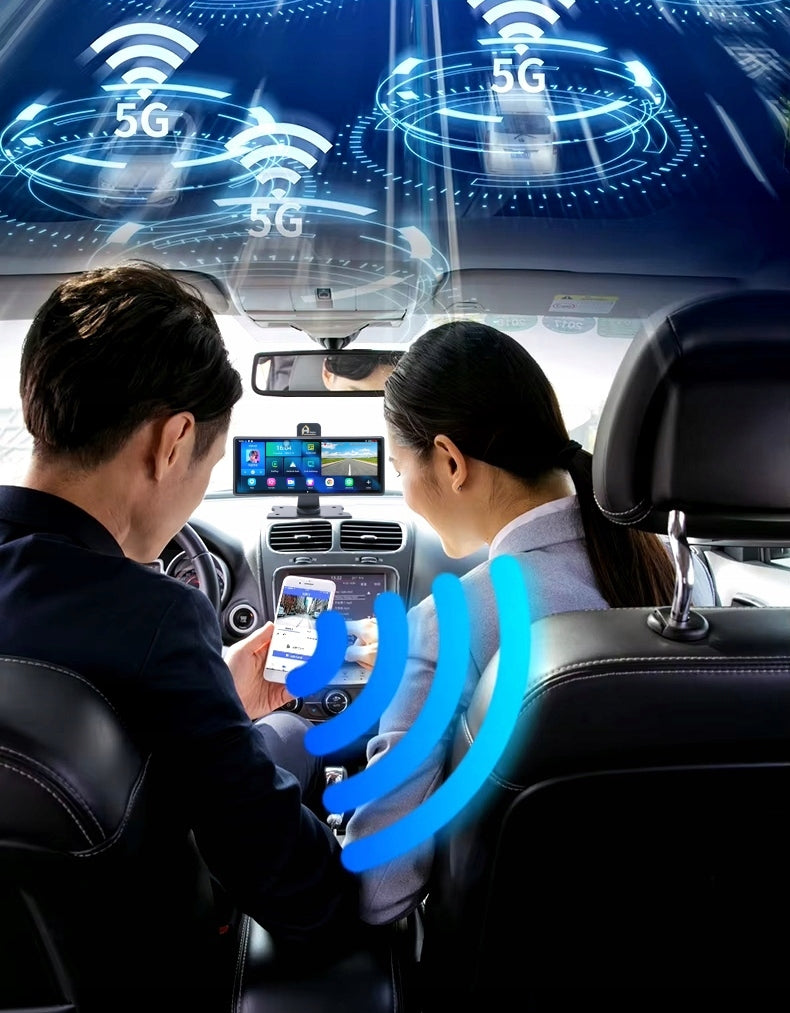
> GSM 4G SIM. Internet usage is possible anytime, anywhere, with a display at eye level. With the help of Google Voice Assistant, you can find all the necessary information on the Internet, even when your hands are busy and your phone is unavailable.
Extended range of supported bands: 3G:WCDMA:2100(B1)/900(B8); 4G:TD-SCDMA 2100(B34)/1900(B39); LTT:FDD 2100(B1)/1800(B3); TDD:2600(B38)/1900(B39)/2300(B40)/2500(B41)
> Wi-Fi (802.11 a/b/g/n). Easily connect to your smartphone via Wi-Fi in a dedicated app by scanning the code from your device screen. Fast file transfer or direct image reading from cameras in real time by streaming video data over a wireless local area network. The GSM 4G modem allows you to access the video stream from both cameras from anywhere at any time.
> Hot spot on board. Just turn on the built-in "Wi-Fi Hotspot" function to enjoy your own wireless network with Internet access via 4G SIM card. (3G devices are inefficient for today's applications that are not able to function properly without a minimum of 4G)
> Bluetooth and speakerphone
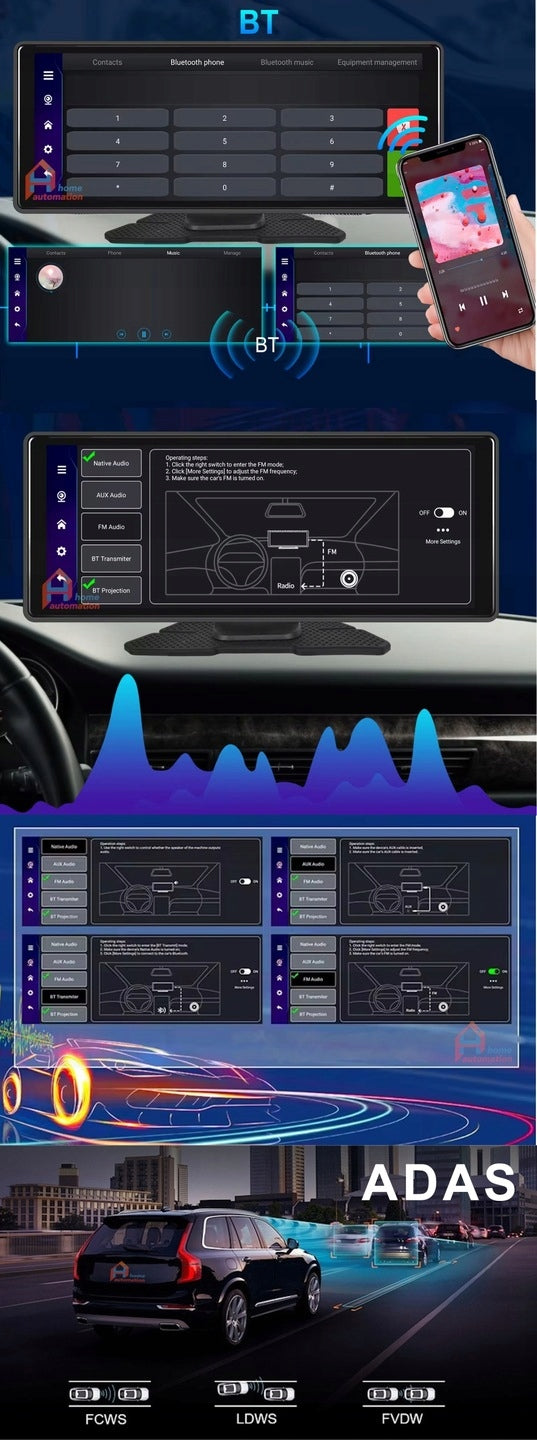
The Bluetooth standard allows you to automatically connect devices that are within range for audio and data transfer. It allows you to transfer audio from the device to external sound systems or headphones or to the device, e.g. when connected to the phone, using it as a hands-free set. It is then possible to synchronize contacts and receive and dial numbers directly on the screen of the device
> Playing STEREO audio in four ways:
♫♪ Directly from the device speaker
♫♪ Through FM wave transmission to car radio
♫♪ Using Bluetooth 5.1 connection
♫♪ Through AUX cable
⚠ Connecting to your phone via Android Auto, Carplay, AirPlay or Mirror Link uses a Bluetooth module and it is not possible to transfer audio to an external audio system using Bluetooth.
> ADAS Plus improves driving safety. Advanced Driving Alarm Systems (ADAS) - Advanced Driving Alarm Systems (LDWS / FCWS / FVMA) are advanced driving control systems that support driving and increase safety. Voice information warns about vehicles at dangerous distances in front of and behind the car and about changing lanes. Dangerous distance is determined dynamically to the speed of movement. All objects moving in the field of view of the cameras are monitored. The technology is factory installed in the latest premium cars.
⚠ In the current version of the software ADAS messages are available in Polish
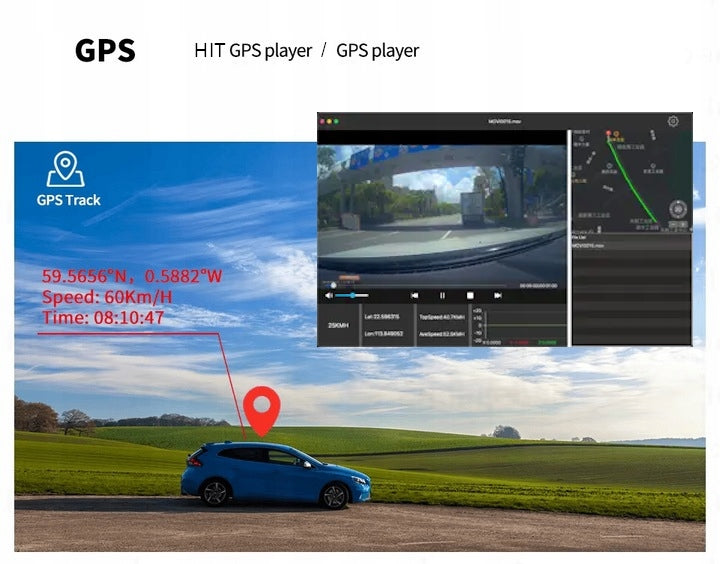
> GPS antenna. Determine the current position of the vehicle in the CarKeeper app. Control the route and current position of your car. Tracking the position and playback of the route on the map thanks to the GPS transmitter (GPS / Beidou / GLONASS three mode) and a dedicated application. Each recording secured by the device has a built-in GPS position and time marker. The CarKeeper app displays secured recordings along with a map showing the vehicle’s position and exact coordinates.
> GPS Player Software / HIT GPS Player (PC Computer)
Recordings are saved in a special way that allows you to read GPS coordinates saved on recordings by dedicated GPS Player and HIT GPS Player programs, which allow you to visualize the course of the car route on the map and play it back with the recorded footage from cameras frame by frame.
This makes it easy to find a recorded video presenting the situation on the road from a given place selected on the map.
> Internet and Google Play Stores / AppStore
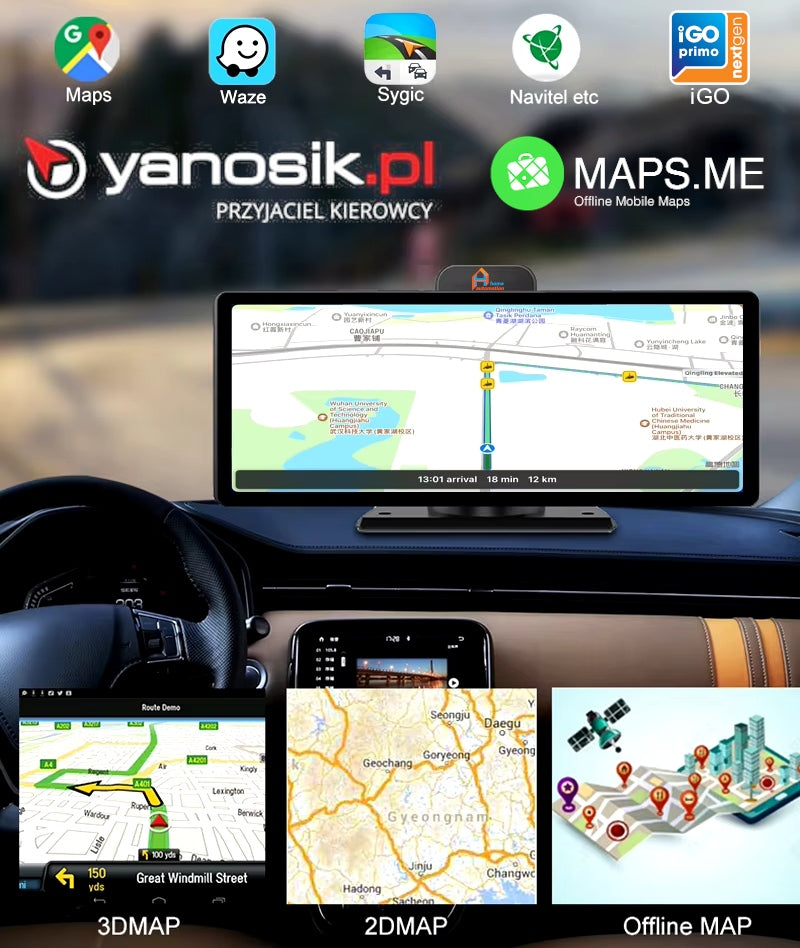
They provide access to countless Android and iOS applications that can be used to enhance the capabilities of your on-board computer. In the internal memory of the station, you can install any application, such as on a smartphone. Google Maps, Waaze, Yanosik, Google Voice Assistant, Youtube are just some of the possibilities. It all depends on individual needs.
We factory install: GoogleMaps, Yanosik, Maps.me, Spotify, Youtube, CDA, Netflix, Booking, Empik Go.
> On-Line and Off-Line navigation
- Connecting the device to the Internet by inserting a SIM card or providing Hot Spot WiFi (e.g. from a smartphone) allows you to use any navigation program on the screen that sends current route data such as current traffic difficulties or traffic. The device uses both cellular data and a connected GPS antenna to determine the current position.
- In a situation where the Internet is not available due to a hole in the range or the lack of a SIM card, the maps.me application installed on the device is available, for which you can download maps of many countries free of charge. The device then determines the GPS position based on the data received by the connected antenna and leads to the target using the downloaded map without the need for the Internet.
In the event that there is no navigation application installed on the device, the product allows automatic wireless connection to the smartphone using Android Auto, CarPlay or MirrorLink technology. On the station screen, you can then operate the navigation installed on your smartphone and any other.
Multimedia Station - Wireless Screen - Player
-
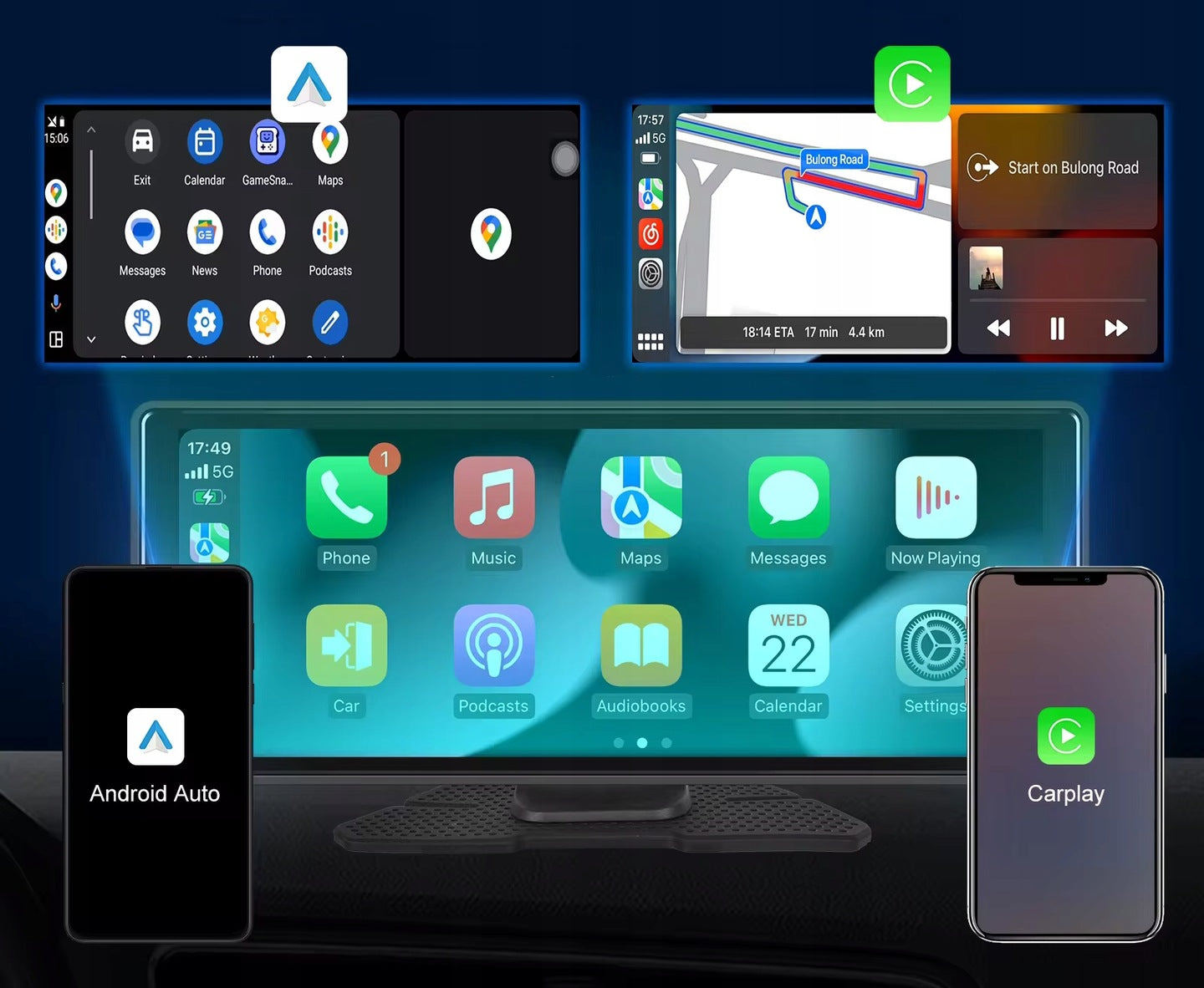
> Android Auto, Carplay and Mirror Link- The product supports the ability to pair with a smartphone using:
1. Android Auto (⚠ Android smartphones and the Android Auto app installed) - connect the HE502J to your smartphone to access navigation, play music using Siri or Google voice assistant, allowing you to make phone calls and much more.
2. Apple Carplay (⚠ Any iPhone with Carplay) - makes it easy to access iPhone features including calls, notifications, messages, maps, media, and more.
3. MIrror Link (⚠ Android and iPhone) - transfers the image from the smartphone screen to the device screen one to one.
Technical data:
- Screen size: full screen, rectangular, 10 inch touch screen with 1600 x 600 resolution
- Resolution: front 1080P @30fps aperture f/no = 2.0
- Resolution: back 1080P, @30fps aperture f/no = 1.9 , (6m or 10m cable (surcharge)
- Camera viewing angle: Front 170°, rear 150°
- Processor: Unisoc UIS7861, octa-core (2*A75 1.6GHz+6*A55 1.6GHz)
- Internal RAM: 4GB
- Internal ROM: 64GB
- External memory: max 256GB micro SD Class 10 u3/V30
- Internet: WiFi 2.4GHz, 5.1GHz
- Operating system: Android 14
- Video Recording Format: TS
- Static Image Recording Format: JPEG
- Remote Operation: Carkeeper
- ADAS: YES (LDWS / FCWS / FVMA)
- GPS Navigation: Google Maps / Maps.me / Yanosik
- WDR/HDR: YES
- GPS: Beidou/GPS/Glonass
- Wi-Fi: 802.11 a/b/g/n
- Handsfree: Hands Free
- Speaker and Microphone: Built-in
- Bluetooth: 5.1 BLE (low energy)
- FM Transmitter: YES
- AUX output: YES (in power supplies)
- SIM socket: YES
- Number of Video Channels: 2
- Battery: -
- Supply Voltage: 6-39V DC
- Product Dimensions [mm]: 243 x 95 x 66 m
Home Automation HE502J:
- HE502J station on standard mounting base
- User manual in Polish
- Reversing camera with 5,5m cable (10m cable or extension are available at extra charge)
- AUX cable with a length of 1,5m
- Additional vacuum mounting bracket
- Car power supply for cigarette lighter socket with AUX socket
- ACC parking power supply, connected in fuse box with AUX socket
- GPS antenna with 2m cable
Power supplies 6 and 7 are integrated into one power harness with replaceable tips : (1) cigarette lighter plug / (2) wires terminated with mini fuses.
Note:
- The product works correctly only with the power supply sent in the set.
- If you change the type of power supply, change the power settings in the system.
- The wrong power supply will turn on the device for a few seconds after which the system will automatically shut down.
- Parking mode and automatic start function after switching on the ignition are available after activating the ACC option in the system.
In case of trouble, we provide support.
Screen mounting:
✅ on standard console (on cockpit):
Our unique console has the ability to adjust the screen vertically in the range of 30mm and rotation and full orientation in each plane +/- 15° on the built-in ball joint.
Self-adhesive base (approx. 70x145mm) allows instant attachment to the cockpit.
For fixing, an extremely strong adhesive polyurethane foam pad with a shape tailored to the mounting base is used. It should be applied to a clean, dry and degreased gasoline extraction surface of the cockpit in a previously selected place ensuring convenient touch operation of the display and full visibility of the device screen.
✅ on the vacuum holder (on the cockpit or to the glass):
In addition, if there is no free space on the cockpit with dimensions of 66 x 140 mm for fixing the device on the stand, the set also includes a special boom with a vacuum suction cup with a diameter of 60 mm, which will allow mounting on the glass or cockpit. Importantly, the suction cup is made of soft silicone and provides a solid grip even on the rough surface of the dashboard.
In the download attachment (link below the offer content) we present an example of assembly in Ford C-max
Installation of the power supply:
The power harness is equipped with two interchangeable input modules, which, depending on the need, are replaced using an integrated connector. This allows for convenient use of the power supply form, leaving one module installed in the fuse box and the other in the cigarette lighter socket or for convenient transfer between vehicles.
✅ Car plug:
The power supply is designed to be installed in the car cigarette lighter socket.
✅ ACC autohibernation tip :
Allows you to use auto-hibernation mode, which involves switching the device to sleep after the ignition is turned off and automatically resuming operation when the ignition is switched on. This eliminates the delay caused by booting the operating system from the beginning, which takes several dozen seconds.
The cables derived from the power supply are terminated with car mini fuses, making it easy to connect them to the power supply in the vehicle fuse box.
The BAT+ cable should be installed in the fuse socket, where there is a constant voltage of +12V at all times, even when the ignition is turned off.
The ACC cable is an input that wakes the device from the state of autohibernation, to which a constant voltage of +12V should be given, which will switch the system to normal operation mode and prevent its further sleep. It can be any fuse socket in the box, which is powered after switching the ignition to the first position, i.e. in a typical case, e.g. radio fuse, or dashboard backlight. Usually, it is not even necessary to replace the existing fuse with a fuse, which terminates the power supply cable, because there are several free sockets in the box, which are powered only after unlocking the ignition.
The automatic hibernation function is available only after connecting the product through the ACC tip module and selecting the ACC mode in the settings.
Connection of the rear camera:
Product gallery:
Specifications
| Group | Name | Value |
|---|---|---|
| Parametry | Condition | new |
| Parametry | Invoice | With VAT invoice |
| Parametry | Brand | Home Automation |
| Parametry | Model | HE502 |
| Parametry | Viewing angle | 170° |
| Parametry | Screen diagonal | 10.26" |
| Parametry | Memory card included | none |
| Parametry | EAN (GTIN) | 5906438596434 |
| Parametry | Manufacturer code | HE502 |
| Parametry | Product weight with unit packaging | 1.3 kg |
| Parametry | Batteries included | yes |
| Parametry | Packaging status | original |
| Parametry | Recording quality | HD (1280 x 720),Full HD (1920 x 1080) |
| Parametry | Power supply | rechargeable battery,car lighter socket,USB |
| Parametry | Ports | AV,memory card reader,miniUSB |
| Parametry | Communications | Bluetooth,GPS,Wi-Fi |
| Parametry | Additional features | camera,automatic start,shock sensor,two cameras,reversing camera,HDR/WDR,H.264 codec,sound recording,display |