
Pristatymo terminas visoje Lietuvoje: 5-7 d.d.
Pristatymo kaina nurodytu adresu: Pristatymas nemokamas



Aprašymas
Trumpai apie prekę
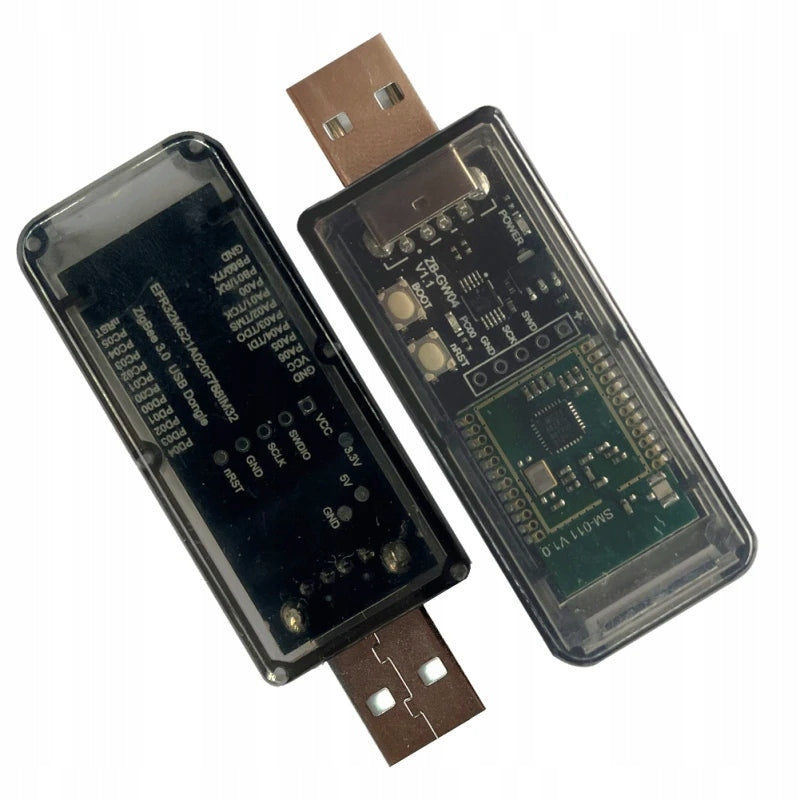
Prekė: Išmanusis namų tiltas Coordinator Home Assistant, Zigbee ir Matter Thread, 2-in-1. Kategorija: Centriniai blokai.
- Gamintojas: no brand
- Modelis: Krasław
The main task of the Zigbee/Zigbee+Thread/Thread coordinator is to connect to an open platform for the smart home, such as Home Assistant via Zigbee2MQTT, ZHA and Thread, and act as a coordinator in the ZigBee/Thread network, enabling the management of ZigBee and Thread (Matter) devices.
With this device and the right platform, users can add and manage ZigBee or Matter devices. Simply insert Dongle into your computer or Raspberry Pi. This allows communication between ZigBee Alliance or Thread (Matter) devices and the creation of smart connections, which enables home automation.
The device comes with preloaded Zigbee NCP application software. This means that you can use them as is, right out of the box, as a Zigbee coordinator. It is also possible to easily and securely upload MultiPan RCB software (allowing you to manage both Zigbee and Thread devices at the same time) or OpenThread (Thread devices only).
To update the software, we recommend using Silicon Labs Firmware Builder available at: https://darkxst.github.io/silabs-firmware-builder/
Specifications:
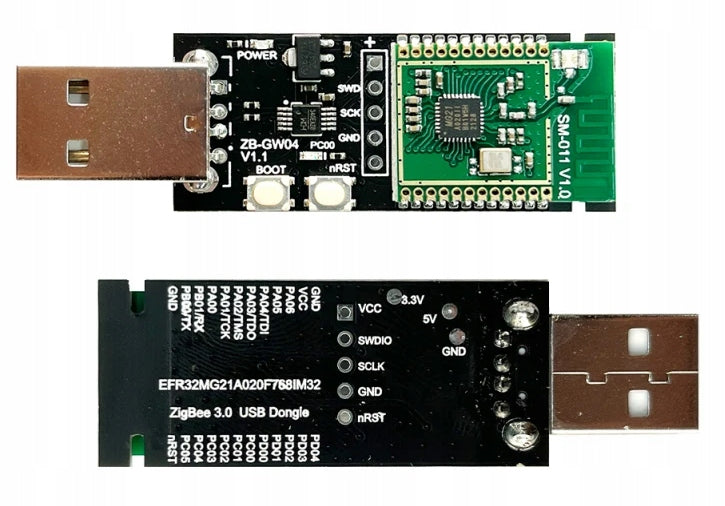
- Model: ZB-GW04 rev. 1.2.
- Silicon Labs EFR32MG21.
- Preloaded EZSP software version 7.4.3.0 build 0.
- Support for Home Assistant: ZHA, Zigbee2MQTT and Matter Thread**.
- Output gain 20 dBm, antenna on PCB.
- Transmission speed: 115200.
* - https://darkxst.github.io/silabs-firmware-builder/
** - requires software change to Multi PAN RCB (Zigbee+Thread) or OpenThread (Thread only)
Attention:
1. This Zigbee/Thread coordinator is designed for advanced users and requires knowledge in configuring the Home Assistant server.
2. It is recommended to use a USB extension cable when connecting to prevent possible interference.
3. Uploading updates in a inny way than Silicon Labs firmware builder repository tool at https://darkxst.github.io/silabs-firmware-builder/ results in loss of warranty.
Installation guidelines
- Make sure you enable access to the Serial USB port when setting up the server. The coordinator will be detected as "QinHeng Electronics USB Serial".
- Example of configuration of "configuration.yaml" file:
series:
port: /dev/ttyUSBX (where X - replace your own, see HA >> System >> Hardware >> All Hardware)
adapter: ezsp
Specifications
| Group | Name | Value |
|---|---|---|
| Parametry | Condition | new |
| Parametry | Invoice | With VAT invoice |
| Parametry | Brand | no brand |
| Parametry | Series | ZB-GW04 |
| Parametry | Kind | control switchboard |
| Parametry | Power supply | mains |
| Parametry | Communication | ZigBee |
| Parametry | Manufacturer code | Krasław |
| Parametry | EAN (GTIN) | 721820773287 |
| Parametry | Batteries included | no |
| Parametry | Additional features | radio communication,WiFi connection |