
Pristatymo terminas visoje Lietuvoje: 5-7 d.d.
Pristatymo kaina nurodytu adresu: 3 eur


Aprašymas
Trumpai apie prekę
Prekė: Mini WiFi slapta kamera su judesio jutikliu ir nuotoliniu stebėjimu per programėlę. Kategorija: Mini kameros.
- Gamintojas: Spreest
- Modelis: A8S
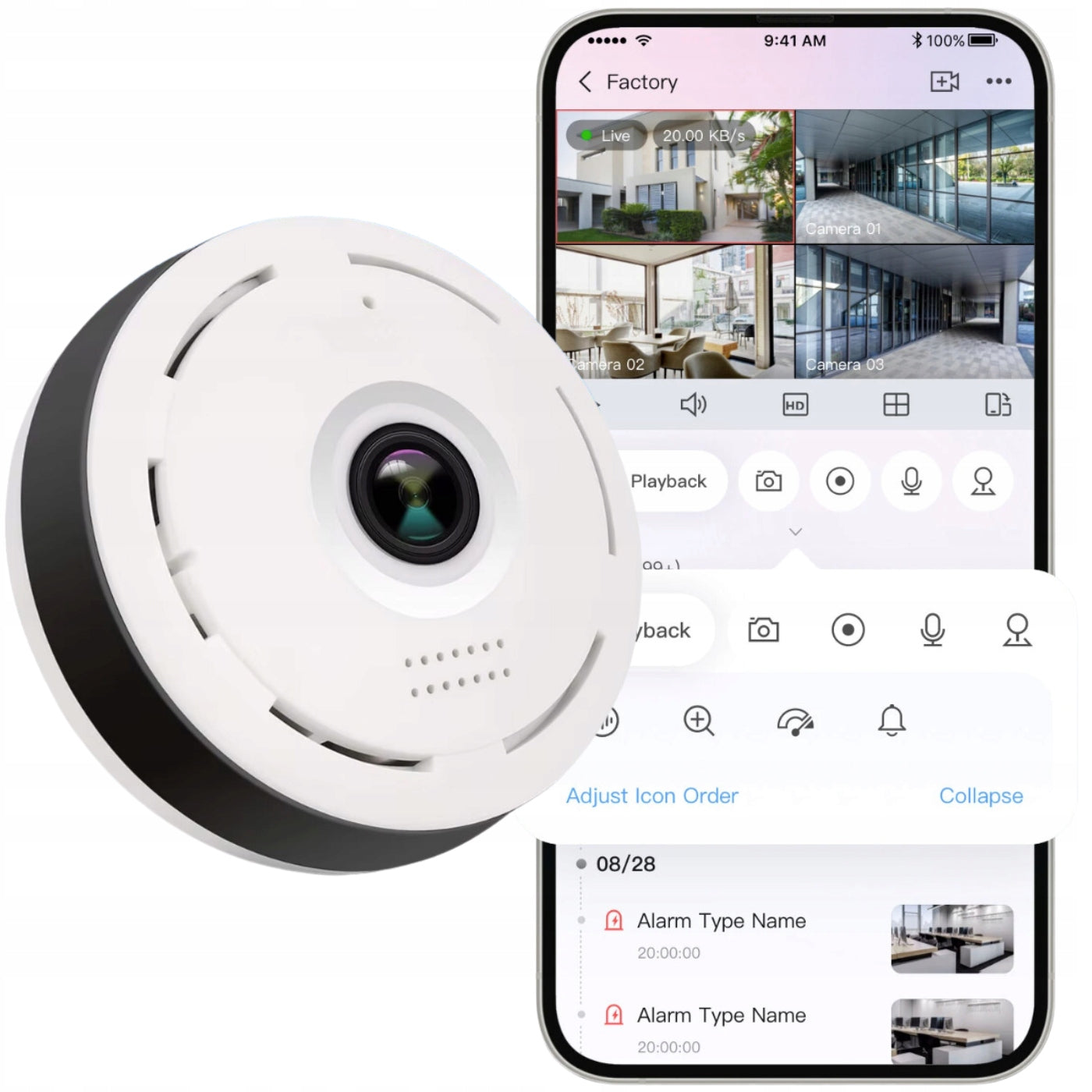
Modern mini WiFi camera by Spreest is the perfect solution for monitoring your home, office or store. Its discreet design resembles a smoke detector, thanks to which it fits perfectly into any interior, without attracting attention.
With advanced features such as full 360° panorama, two-way voice communication and night mode, the camera provides complete security and reliable protection around the clock.
High-quality lens guarantees a clear image, and the built-in motion sensor will immediately notify you of unwanted events.
With the application for iOS and Android, you can conveniently manage your camera from anywhere, view recordings and configure settings. Support for SD cards up to 64 GB and loop recording ensure long-lasting recording of events, which makes the camera meet the expectations of even the most demanding users.
Key Features
1. Intuitive App: Available for iOS and Android, allowing remote monitoring, settings management, and viewing recordings from anywhere, in real-time.
2. Supports micro SD cards up to 64 GB: An external memory card slot allows for easy management of recordings without needing to disassemble the device.
3. Discreet Design: Resembling a smoke detector, the camera blends seamlessly into any interior, without drawing attention.
4. Motion Detection with Notifications: The camera instantly sends notifications to your device when it detects motion. Recording only when motion is detected saves space on the memory card.
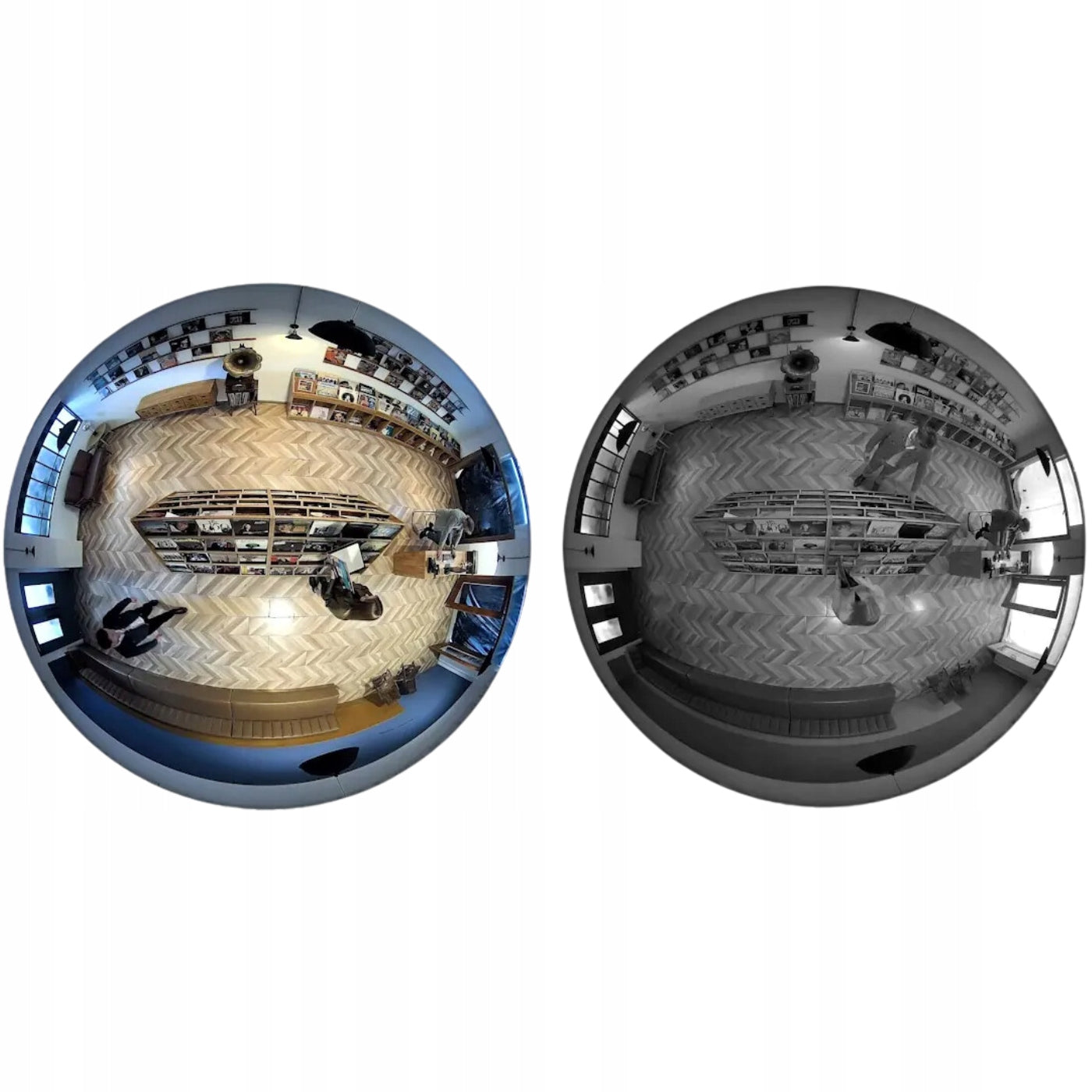
5. Full 360° Panorama: With a "fisheye" lens, the camera provides a full 360-degree view, allowing you to monitor the entire room without blind spots.
6. Two-Way Voice Communication: Built-in microphone and speaker allow you to listen and communicate in real-time, perfect for talking with family or deterring intruders.
7. Night Mode with IR CUT Technology: Automatic switching to night mode in low-light conditions enables 24/7 recording.
8. High-Quality Image: The lens provides clear and detailed recordings, allowing for precise monitoring of the observed area.
9. Loop Recording: The function to overwrite the oldest recordings ensures continuous event recording, without the risk of filling the memory card.
10. Multiple Operating Modes: The camera automatically adjusts the image to lighting conditions, offering automatic, color, and black-and-white modes.
11. Secure Cloud Storage (additional fee): Option to subscribe to cloud storage for recordings, ensuring access to footage even if the camera is damaged.
12. Compact Dimensions: Small size and lightweight design make the camera easy to mount and discreet. It also includes a USB cable that is approximately 3 meters long.
To connect to the mini camera, simply follow these steps:
1. Add camera: Open the mobile app and select the option "Add cameras" in the main menu.
2. Camera selection: Select "Wi-Fi camera" from the list of available devices.
3. Choosing a configuration method: In the next step, select "Hot spot connection".
4. Wi-Fi network selection: Select the Wi-Fi network you want to connect the camera to and enter its password. Then click "Confirm".
5. Configuration Instructions: Follow the on-screen instructions to complete the setup process.
6. Connection confirmation: After a successful connection, the application will display a message confirming the successful connection of the camera to the Wi-Fi network.
7. Password setting: Enter a new password for the camera to secure access to the device.
8. Add a camera: After setting the password, you can name your camera and add it to the selected location in the app.
After following the above steps, the camera will be ready for use and remote monitoring by the application.
To set up alerts, motion detection, and view alarm history, follow these steps:
1. Configuration of alerts:
Go to the "Emergency Messages" section of the app.
Set alarm periods by selecting one of the available options:
- All-day alarm (24 hours): If you want the camera to be active throughout the day.
- Day (8:00 – 20:00): Setting suitable for office monitoring during working hours.
- Night (20:00 – 8:00): Perfect for monitoring your home while you sleep.
- Custom (choose your own time): For example, if you want the camera to be active only between 10:00 and 14:00.
2. Motion detection in the area:
Select the option "Emergency area" in the application.
Click on the grid displayed on the screen to select the areas to be covered by monitoring.
- Example: Select the area at the front door to detect only movement in that particular place.
Areas marked in red will be active in motion detection.
3. History of alerts:
Go to the "Emergency Messages" section to view the saved alarm messages.
The application will display a list of recorded alarms, allowing you to easily manage and view event history.
- Example: If motion is detected at night, you will see the exact time and date of this event in the history, which will allow you to see exactly what happened.
The camera offers an intuitive user interface that allows you to easily manage the device and adjust settings to your individual needs. Below you will find a description of the main functions available in the application:
1. Main view:
In the main view of the application, you can observe the live image from the camera. Options such as playback of recordings, alarm messages and access to camera settings are available.
- Example: You can immediately see what is happening in the monitored room, and react quickly to any disturbing events.
2. Camera settings:
In the camera settings section, you have access to various configuration options such as network, password, device time, software version, and advanced settings.
- Example: You can change your camera access password to increase security, or update your software to take advantage of the latest features.
3. Split view for more cameras:
The application allows simultaneous monitoring of images from multiple cameras in split view mode. This is especially useful when you have several cameras installed in different rooms.
- Example: Monitor the living room, kitchen and entrance to the house at the same time to have a full view of what is happening throughout the house.
4. Preview mode settings in different lighting conditions:
The camera automatically adjusts the image to the lighting conditions, switching between color and black and white mode depending on the amount of light.
You can also manually set the image mode: automatic, full color or black and white.
- Example: In automatic mode, the camera displays a color image in good lighting conditions and switches to a black and white image in low light, which ensures a clear image regardless of the time of day.
It has comprehensive capabilities for recording, sharing, managing the memory card and viewing recordings from the card in the application. To take full advantage of these features, follow these steps:
1. Ability to save recordings in the cloud (additionally paid):
In the app, select "Cloud Recording" and click"Start" to subscribe to the service.
Once your subscription is activated, you can use cloud storage for secure storage and the ability to view your recordings from anywhere.
- Example: When motion is detected, the recording is automatically saved to the cloud, so you can access it even if the camera is damaged.
2. Share:
Select the camera you want to share by clicking the "Share" icon in your device settings.
Add users with whom you want to share access to the camera, which will allow them to view live streams and saved recordings.
- Example: Share the camera with family members so they can monitor the house while you are away.
3. Memory card management:
Go to the "Settings" section of the camera and select "Micro SD card".
Configure recording modes such as continuous recording, event recording, and audio recording to tailor camera performance to your needs.
Make sure the microSD card is properly formatted (e.g. to FAT32) format and ready to use.
- Example: Select the event recording mode to save card space and record only when the camera detects motion.
4. Browse recordings from the card in the app:
Go to the "Cloud Recording" or "Micro SD Card" section of the app to view your saved recordings.
Filter recordings by date and time, allowing you to quickly find the material you are interested in.
- Example: Check the recordings from the previous day to see what was happening at home during your absence.
Two-way voice communication
The device is equipped with a two-way voice intercom function, which allows communication with the camera environment in real time. Thanks to the built-in microphone and speaker, you can not only hear what is happening in the monitored place, but also transmit your messages.
This is ideal when you want to contact household members, employees or deter uninvited guests. No matter where you are, you have complete control and the ability to interact – all you have to do is use the app on your smartphone.
External micro SD card slot up to 64GB
The camera has an external slot for the memory card, thanks to which quickly and simply you will be able to obtain recordings from the camera, without having to disassemble the entire housing or disassemble the equipment.
Full panorama
The camera provides a full panorama of vision thanks to an advanced "fish eye" lens with a viewing angle of 360 degrees. This means that one device can monitor the entire room without dead zones. No matter where you place your camera, you can be sure that will capture every detail around – both front and sides.
Perfect for home surveillance, office or other spaces where complete security and control count.
Night mode
The device has IR CUT technology that allows you to track the image at night, which allows you to record the image 24 hours a day. The mode activates automatically in the dark - you do not need to turn it on manually.
Motion Detection
The camera is equipped with a motion detection system. If it detects motion, it sends a notification to the device where the app is installed. You can set it to record only when motion is detected, which saves space on the memory card and ensures you have recordings of unusual activity.
Loop Recording
You can set it to overwrite the oldest recordings and record newer ones in their place. The device is powered via a built-in USB port and the included cable (you can use a wall adapter or a computer for power).
Camera Components
1. Reset button: Allows you to restore the factory settings of the camera.
2. HD Lens: High-quality camera lens for clear images and high resolution.
3. Microphones: Built-in microphones for audio recording and two-way communication.
4. Speaker: Allows you to play sounds and use the intercom function to communicate with the camera environment.
5. Ventilation grille: Ensures proper ventilation of the camera, helping to maintain the optimal operating temperature of the device.
Technical specification
- Image sensor : HD720P/960P/1080P.
- Angle of view : 360° (full panorama).
- Minimum lighting: 0,01 Lux @ F2.0; for black and white mode: 0,001 Lux @ F2.0.
- Wireless: IEEE802.11b/g/n standard.
- Network settings: Access point mode (AP mode) and station mode (Station mode).
- Mobile Wi-Fi video: Support HD720P/960P/1080P and VGA streaming.
- Audio coding: ADPCM, support two-way voice intercom.
- Memory carrier: Micro SD card up to 64 GB (not included)
- USB cable length: About 3m
- Dimensions: 70mm x 70mm x 36mm x 55mm
- Power Supply: DC-5V, Constant Power Supply
- Weight: 70g
The set includes
- 1x Mini WiFi Camera A8S
- 1x USB Cable
- 1x Power Supply
- 1x Mounting kit
- 1x Reset Wrench
- 1x User Manual
Link to the in Polish: https://hackmd.io/@spreest-manuals/SkAAJApjel
Link to the user manual in Czech: https://hackmd.io/@spreest-manuals/Byh8Jqmnbl
Link to the instruction manual in Slovak: https://hackmd.io/@spreest-manuals/B12P15m3-g
Link to the instruction manual in Hungarian: https://hackmd.io/@spreest-manuals/S1QwJ5Qhbe
- EAN: 5906168042485
- Manufacturer code: Mini WiFi camera A8S
- Model: A8S
- Brand: Spreest
- Condition: New
Specifications
| Group | Name | Value |
|---|---|---|
| Parametry | Condition | new |
| Parametry | Invoice | With VAT invoice |
| Parametry | Brand | Spreest |
| Parametry | Model | A8S |
| Parametry | Recording quality | Full HD (1920 x 1080) |
| Parametry | Additional information | Wi-Fi |
| Parametry | Manufacturer code | Mini kamera WiFi A8S |
| Parametry | EAN (GTIN) | 5906168042485 |
| Parametry | Packaging status | original |
| Parametry | Certificates of conformity | CE |