
Pristatymo terminas visoje Lietuvoje: 5-7 d.d.
Pristatymo kaina nurodytu adresu: Pristatymas nemokamas


Aprašymas
Trumpai apie prekę
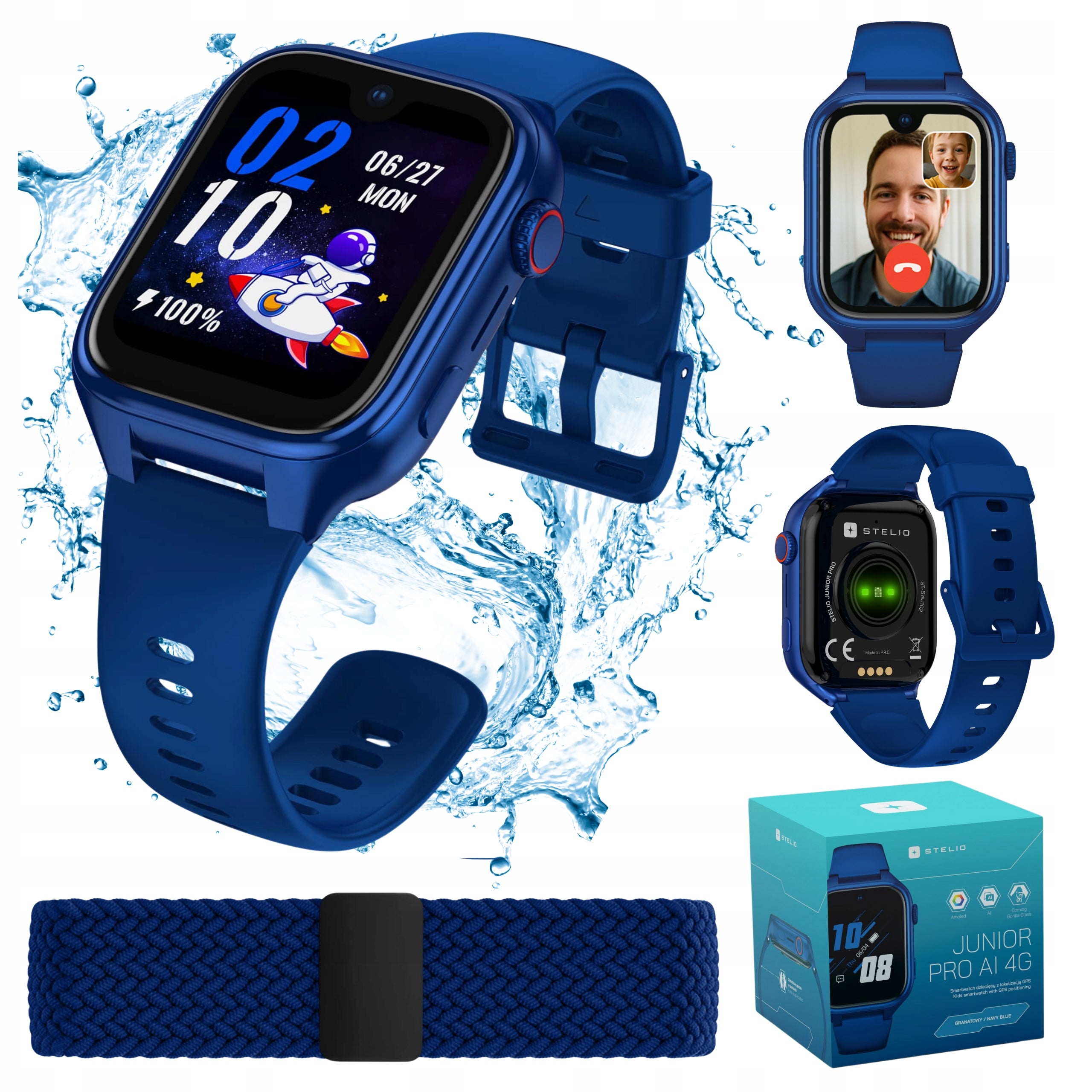
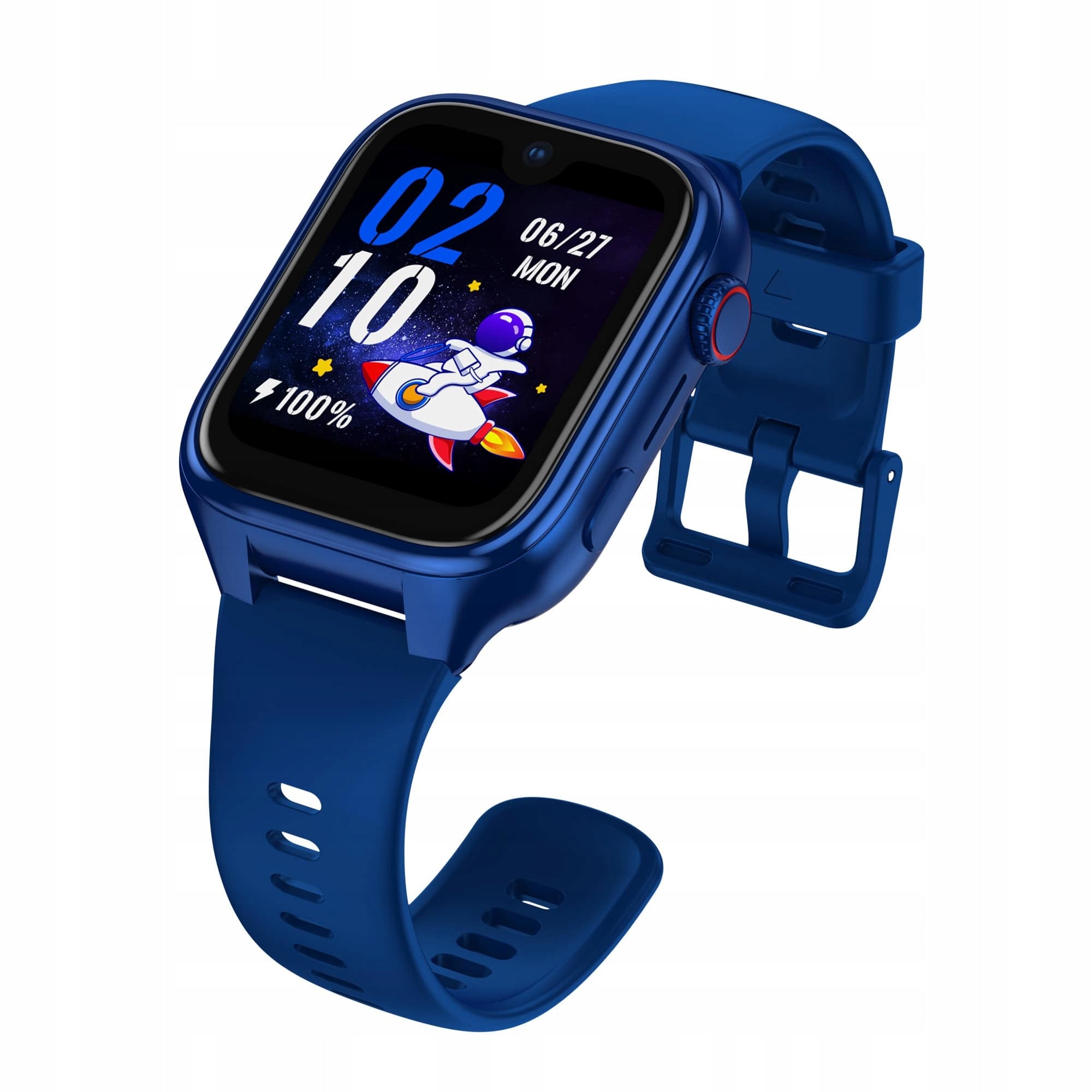
Prekė: Vaikiškas išmanusis laikrodis STELIO 4G LTE, GPS, skambučiai, kamera, AMOLED ekranas, 8GB. Kategorija: Išmanieji laikrodžiai.
- Gamintojas: Stelio
- Modelis: Junior Pro AI
- Svoris: 50 g
- Spalva: blue
Welcome to the new era of AI-backed childcare - Kids AI is here!
Meet STELIO Junior Pro AI 4G – a smart smartwatch that combines security, education and creative play in one stylish device. With over 16 advanced AI-powered features, your child will not only get a watch, but an everyday companion for learning and exploring the world.
✅ Key Features of STELIO Junior Pro AI 4G
- Nio AI voice assistant – safe artificial intelligence for children
- OpenAI technology – education, conversations, learning aid
- Creative fun with AI – pictures, fairy tales and poetry created by a child
- GPS + WiFi + LBS – precise location of the child in real time
- Security zones – notifications when leaving the area
- SOS button – quick emergency call with parent
- Video, voice and telephone calls – 4G LTE connectivity
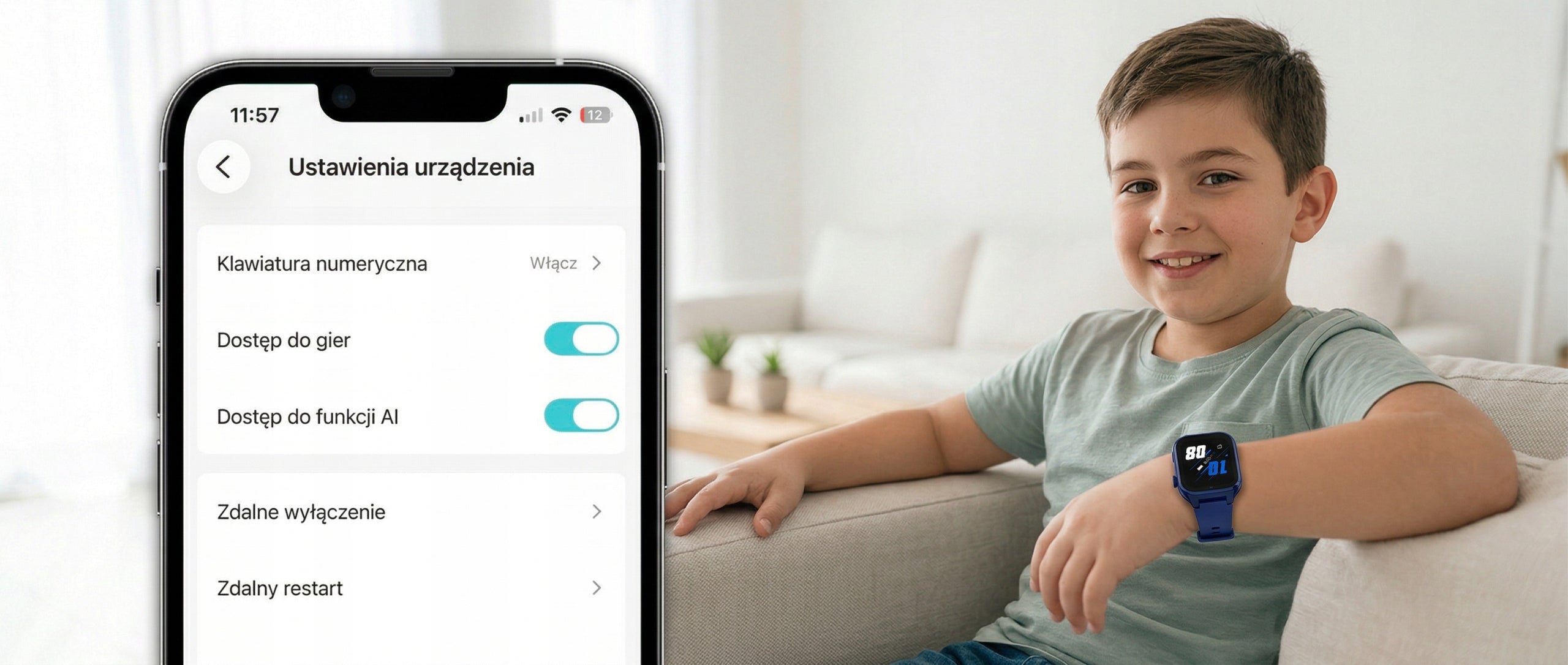
- Voice monitoring and ambient photos – control from the Stelio Tracker application
- 5MP camera – photos and video calls in high quality
- Measurement of heart rate and blood oxygenation (SpO₂) – health under control
- Lesson mode – blockage of functions during school activities
- Voice, SMS and chat messages – convenient communication
- AMOLED 1,78” screen – vivid colours, touch interface
- Water resistance IP67 – resistant to rain and splashes
- 8 GB memory + 1 GB RAM – space for photos and AI data
- 700 mAh battery – long operation, saving mode
- GDPR Compliance – full protection of child data
✅ OpenAI on the child's wrist
Smartwatch STELIO Junior Pro AI 4G is the first children's watch integrated with OpenAI technology - the creator of the most powerful language models in the world (such as ChatGPT). It’s like a mini teacher and guide who is always next to the child – ready to answer, explain, help.
✅ Nio AI – children’s voice assistant
Nio AI is an intelligent assistant created especially for the youngest. Speaking to the watch, the child gets answers in a natural and understandable way – as if talking to an adult caregiver.
- No need to write – just talk!
- Built-in filters – zero violence, profanity, sexual content or social media.
- Age compatibility – technology that is completely safe for children.
✅ The educational power of AI – daily learning aid
The watch supports children not only in school education, but also in intellectual and language development.
✅ Explains difficult concepts and words
✅ Helps solve math problems
✅ Supports writing essays – from idea to plan
✅ Offers instant access to knowledge – like a mini encyclopedia
It’s like a pocket tutor – no stress, 24/7.
✅ Creative play with AI – the development of imagination without borders
STELIO Junior Pro AI 4G offers intelligent entertainment that develops your child’s emotions, passions and creative thinking.
- Generating images based on words
- Telling fairy tales and creating poetry
- Magic Mirror – a virtual emotional companion
The child can express himself, learn through play and create his own world – without a smartphone and without boredom.
✅ Constant contact with your child – whenever you want
With support for 4G LTE, the STELIO Junior Pro AI 4G smartwatch enables phone, voice and video calls – just one click to see and hear your child, no matter where they are.
✅ Ideal for both quick control and everyday conversations with a smile.
✅Stable and secure connections – whenever you really need it.
✅ 5MP camera – clear image and photos full of details
The built-in 5.0 MP camera allows your child to take clear, colorful photos and recordings, and you – enjoy clean image during video calls.
✅ Ideal for capturing everyday moments and face-to-face contact, even from a distance.
✅ Quality that definitely distinguishes STELIO from other smartwatches for children.
✅ GPS + safety zones – you always know where the child is
STELIO uses GPS, WiFi and LBS to show your child’s location in real time in the Stelio Tracker app.
- Set security zones (e.g. school, home) – if the child leaves them, you will immediately receive a notification.
- Discreet but effective – more freedom for the child, more peace of mind for you.
✅ More peace of mind for the parent – full remote control
The watch is equipped with a hand-held photo sensor, remote camera photo and ambient voice monitoring – all available from the Stelio Tracker application.
- In addition, you have insight into the history of calls and messages so that you always know who and when your child is contacting.
✅ Lesson mode and stranger blockade – focus and protection
During the designated hours, STELIO mutes functions so as not to distract the child while learning.
- Blocking unknown numbers allows you to receive only calls from saved contacts – full control and security of communication.
✅ Daily help in organization – from morning to lessons
STELIO means not only AI and security, but also practical tools on a daily basis:
- Alarm clock teaches independence,
- Stopper works well in fun and exercises,
- Calculator helps in counting in lessons,
- Lesson plan allows you to better organize your school day.
Thanks to this, the watch supports the development of responsibility from an early age.
✅ Personalization of the shield – a style that suits the child
Your child can choose from a dozen or so colored watch faces and change them depending on their mood, style or favorite color.
STELIO allows to express oneself and makes the smartwatch truly “his”.
✅ 700mAh battery - more runtime
The powerful 700 mAh battery and intelligent energy management mean that STELIO can last much longer without the need for frequent charging.
- Saving mode and automatic on/off adjust the watch to the rhythm of the child’s day – without stress and without surprises.
✅ Gorilla Glass – durability for children’s adventures
The STELIO screen protects the resistant Corning Gorilla Glass, which copes with bumps and drops.
- The display remains readable and intact, even under heavy use – ideal for active children.
✅ IP67 waterproof – no stress of splashes
With STELIO you do not have to remove the watch when washing your hands or playing outside.
IP67 stands for resistance to rain, dust and short-term contact with water – ideal for children on the move.
✅ Full data protection – compliance with the GDPR
STELIO takes care of the security of the child's information thanks to encrypted servers and compliance with GDPR.
If you lose your watch, you can:
- track the location,
- block access to data,
- start a loud signal or
- remotely lock the device with a password.
The peace of the parent and the privacy of the child are always in the first place here.
The set includes:
- Smartwatch STELIO Junior Pro AI 4G
- Additional strap - Junior Magnetic Strap
- Charging cable - 0,8m
- SIM card slot opener
- Quick Start Guide (short instructions)
- Warranty card
- Welcome card
SUPPORT - JUNIOR 4G / JUNIOR PRO AI 4G
Why is the watch not charging?
Possible causes:
1. The battery could have completely discharged if the watch had not been used for a long time. Charge it for at least 15 minutes before checking if it is charging.
2. Make sure you use a standard charging adapter.
3. Charging contacts on the watch and magnetic wire may be dirty. Clean them regularly.
4. The magnetic cord may be incorrectly connected. Align the charging contacts of the watch with the metal cable contacts until they are properly connected. An animated loading symbol should appear on the screen.
5. Check the power source: make sure the power strip is on, the USB port is working or the adapter is not damaged.
6. If none of the above methods work, the watch may be damaged.
The watch does not see the SIM card – what should I check?
Check that the SIM card is active and has been correctly placed in the slot. The card should be compatible with 2G/3G/4G LTE network and enable data transmission. Also, make sure that there are funds in your card account that allow you to use the Internet. The correct placement of the SIM card is shown in the illustration in the instruction manual.
Why is the location of the child not visible?
Make sure that the SIM card has an active Internet packet. The watch must be within range of both GSM and GPS networks. Sometimes it can be helpful to restart the device. It is also worth remembering that in enclosed spaces or surrounded by high buildings, the GPS signal can be significantly weakened.
Why does the watch show that it is offline when I try to locate it?
Possible causes:
· No funds on the SIM card or the watch is off.
· No network connection – check the network status on the main screen of the watch. If there is no connection, restart your watch or connect to Wi-Fi.
· Poor signal – e.g. in an elevator, basement, subway or high-speed train.
· Battery saving mode – the network is turned off.
How can I correct an inaccurate location of the watch? (WiFi/LBS)
With a weak GPS signal and less accurate positioning of the device via LBS or WiFi, this solution can be used:
If there is a deviation of position, please long press and drag the device marker on the map to the correct place, manually enter the exact address information and save. The next time the device approaches the saved location, the location will be more accurate.
When the positioning method is GPS, manual correction will have no effect.
Why is the location sometimes inaccurate?
The watch uses GPS, Wi-Fi and cellular network transmitters (LBS) to determine location. Accuracy depends on the environment:
· GPS: approx. 10 meters
· Wi-Fi: approx. 450 meters
· LBS: approx. 550 meters (or more in practice)
The watch cannot be located when it is turned off or there is no network connection.
Can the watch be placed in school mode?
Yes, the location works even when the watch is muted in school mode.
How long does it take to fully charge the watch?
A full charge usually takes between 2,5 and 3 hours.
How can I improve the battery life of my watch?
Make sure that the watch software is up to date. Then:
· Turn on “Auto on. /off. devices” in the [More] section of the app.
· Set the location mode to “Energy Saving Mode” in the [Location] section of the app by clicking “...” in the upper right corner and selecting [Location Mode Settings]. This will force the app to check the location of the watch only manually.
Lower positioning frequency significantly increases battery life.
· Enable “Energy Saving” in the [More] section of the app. The watch will go into economy mode with a low battery (about 20%), leaving only the ringing function. On the main screen you will see a message: “Battery Saving Mode has been enabled”.
· Check if “Continuous heart rate measurement” or “Watch photo alert” is turned off. Power consumption increases significantly with the activation of these functions.
Why can't I turn off my watch?
The "Watch Off Lock" feature can be enabled in the app. You can turn it off by going to [More] – [Device Settings] and turning off the “Watch Shutdown Lock” function switch.
How to connect the watch to the app?
1. Insert a valid SIM card into your watch.
2. When the watch connects to the server, go to the [Bind] menu on the watch – a 10-digit association code will appear.
3. Open the app and scan the QR code or enter the code manually.
4. Make sure that the region you selected in your app matches the default watch server.
Will the watch work abroad?
Yes, provided that your SIM card has data roaming activated and supports 2G/3G/4G network in the country where you are staying. The card should be compatible with 2G/3G/4G LTE network.
Why doesn't the watch ring on incoming calls?
Why is there no sound?
Check the volume settings on your watch by going to [More] – [Settings] – [Volume Settings] to make sure the volume is not too low and silent mode is not turned on. If there is still no sound during calls, the watch may be damaged.
How to set the correct date and time on the watch?
The watch will automatically synchronize the time with the server when the SIM card is inserted. Alternatively, when you pair your watch with the app, you can manually set the time zone in the app settings.
Can the watch be worn while swimming, washing hands or bathing?
The watch is water resistant for everyday activities such as hand washing, but is not suitable for swimming, diving or activities related to rapid water flow or immersion to a greater depth.
Why does the watch heat up?
Possible causes:
· The 4G network supports high-speed data transfer, which generates heat.
· The watch system is based on Android and requires efficient components that can heat up.
· The small size of the watch limits the possibility of heat dissipation.
· Video calls and 4G-VoLTE HD calls consume more power and generate more heat than traditional voice calls.
· Fast charging also generates heat, which is typical for all electronic devices.
Why does the watch display a high temperature warning?
The watch displays a high temperature warning when the NTC sensor (with a negative temperature coefficient) detects that the battery temperature has exceeded a certain threshold.
NTC detection standards:
During charging: 50°C triggers a warning and interrupts charging. Charging resumes at 45°C and the warning disappears automatically. At 55°C, the device turns off.
In addition to charging: 45°C triggers a warning that disappears at ≤42°C.
How long can video calls last?
Video calls are limited to 5 minutes to prevent the watch from overheating.
Why am I not receiving a verification code when registering by email?
Verify that the email address is entered correctly.
Make sure that your mailbox settings do not block unknown senders and check your SPAM folder.
Why can’t I log into the app after registration?
Make sure that your login credentials are entered correctly by paying attention to the case.
Accounts cannot be used in different regions.
For example, an account registered in the US region will not work in the Europe region.
How to add other family members to watch management?
The administrator can view a QR code in the app that other people will scan to send an access request. The administrator must approve the request to allow others to use the application.
Why don't I get notifications?
Make sure your app has all the necessary permissions, such as notifications, background action, and autostart.
Open the app regularly to avoid it being closed by your phone system.
Why can't I record or listen to voice messages?
Verify that the app has microphone permissions enabled in your phone settings. If the problem persists, uninstall and reinstall the app, allowing access to the microphone the first time you start.
Why can't I see the child's chat history?
For reasons of protecting children’s privacy, the history of messages between children is not available to parents. Application interfaces do not allow you to preview other people's messages.
Why don’t I get voice chat or video call notifications?
Make sure that the application has all the required permissions – notifications, background action, autostart. Open the app regularly to avoid it being turned off by the system.
How many contacts can I add to my watch?
You can add up to 15 contacts, 3 of which can be emergency contacts.
Nio AI – Why does the voice recognition function not detect Polish?
With short phrases, the AI function is unable to detect what language you are using Try to use more complex questions or sentences for the effective use of all AI functions.
In case of increased noise when recognizing voice – the function may also have a problem with detecting what language the user is using.
Nio AI – “Please enter standard words and sentences to make it easier for AI to read and draw”
The message appears if the user has used incorrectly complex words or sentences so that the AI agent was unable to understand the task and generate any response.
The message also appears if the user has used prohibited words and sentences that have been blocked for the needs of children. These are vulgar words, of a violent or sexual nature, etc.
In the case of such a message, please try other words that are used as standard and suitable for children.
Nio AI – Why didn’t the AI agent give a full answer? Why was the response interrupted?
This is due to the limited number of characters in one response. But don't worry. AI agents remember previous threads (within the memory limits of chat history). Just issue a command to continue the thread/answer and the response will continue to be generated.
Nio AI – “Unstable internet connection” “Failed to connect to server, please check network or try later! ”
Make sure that the SIM card has an active Internet packet. The watch must be within range of the GSM network. Sometimes it can be helpful to restart the device.
It is also worth remembering that the function can work without an Internet connection, based on a WiFi connection, which may be more stable for home users.
Specifications
| Group | Name | Value |
|---|---|---|
| Parametry | Condition | new |
| Parametry | Invoice | With VAT invoice |
| Parametry | Packaging status | original |
| Parametry | Kind | kids' smartwatch |
| Parametry | EAN (GTIN) | 5902510616748 |
| Parametry | Brand | Stelio |
| Parametry | Model | Junior Pro AI |
| Parametry | Certificates of conformity | CE |
| Parametry | Manufacturer code | Smartwatch telefon dla dzieci Stelio rozmowy |
| Parametry | Touchscreen | yes |
| Parametry | Color | blue |
| Parametry | Case color | navy blue |
| Parametry | Strap material | synthetic material |
| Parametry | Case material | synthetic material |
| Parametry | Case width | 40 mm |
| Parametry | Case height | 48.6 mm |
| Parametry | Case thickness | 13 mm |
| Parametry | Weight | 50 g |
| Parametry | Product weight with unit packaging | 0.24 kg |
| Parametry | Case shape | rectangular |
| Parametry | Built-in memory | 1024 MB |
| Parametry | Battery kind | lithium-polymer battery |
| Parametry | Battery capacity | 700 mAh |
| Parametry | Communications | Wi-Fi |
| Parametry | Navigation | yes |
| Parametry | Ports | nanoSIM |
| Parametry | GPS locator | yes |
| Parametry | Waterproofness | yes |
| Parametry | Wireless charging support | no |
| Parametry | Data transmission | 4G (LTE) |
| Parametry | System compatibility | Android,iOS |
| Parametry | Batteries included | yes |